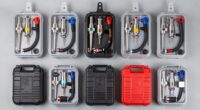
A scan tool with ECU coding and programming can do more than read fault codes, but capabilities vary sharply by tool and vehicle. My best overall pick is the TOPDON Phoenix XLink for its combination of ECU programming, online coding, bidirectional controls, and CAN FD/DoIP support. The XTOOL D9S PRO stands out for topology mapping and programming-focused workflows, while the TOPDON ArtiDiag Pro is a more approachable option for coding and service work. The main tradeoff is paying for advanced functions you may not be able to use on your specific vehicle, since manufacturer access and coverage differ. Read on for the full comparison, selection criteria, and guidance on matching a tool to your repair needs.

Get business pricing on garage and car supplies
- Business-only prices and quantity discounts
- Tax-exempt purchasing
- Multiple users, one account, clear invoices
Complete the kit


Key Takeaways
- The Phoenix XLink leads this group for breadth: ECU programming, online coding, bidirectional controls, CAN FD, and DoIP make it a strong fit for mixed-vehicle professional work, subject to vehicle coverage.
- The D9S PRO is the more workflow-focused alternative: topology mapping can help trace system relationships, while the Phoenix XLink is the clearer choice for buyers prioritizing a broad feature mix.
- Several tools share a model name or family: the THINKCAR 689BT appears twice, and the XTOOL D7W and D7 are distinct versions, so buyers should verify the exact model and included connectivity.
- Programming claims need vehicle-level checking: a tool’s coding or programming label does not confirm support for every module, model year, or manufacturer procedure.
- Brand-specific needs can beat broad coverage: the XTOOL IP500 is explicitly aimed at BMW, while general-purpose picks make more sense for buyers servicing varied makes.
| TOPDON Phoenix XLink Scan Tool, ECU Programming, Online ECU Coding, Bi-Directional Scanner, CAN FD/DoIP, 2 Years Free Updates |  | Best for Broad Professional Coverage | Display: 10.1-inch | Memory: 128GB | Battery: 12600mAh | VIEW ON AMAZON | See Our Full Breakdown |
| XTOOL D7W OBD2 Scanner Diagnostic Tool Wireless Version |  | Best Wireless Value | Vehicle coverage: 150+ brands | Active tests: 4,000+ | Reset functions: 39+ | VIEW ON AMAZON | See Our Full Breakdown |
| THINKCAR THINKSCAN 689BT Bidirectional Automotive Scan Tool with Wi-Fi Updates |  | Best for Guided Diagnostics | Model: 689BT | Item weight: 850 g | Vehicle coverage: 140+ makes; passenger cars, 12V pickups, hybrids, and SUVs | VIEW ON AMAZON | See Our Full Breakdown |
| THINKCAR THINKSCAN 689 AI OBD2 Scanner with Full-System Diagnostics and Bidirectional Controls |  | Best for AI Repair Guidance | Memory: 64 GB | Operating system: Android 10 | Processor: 4-core | VIEW ON AMAZON | See Our Full Breakdown |
| XTOOL D9S PRO Bidirectional Automotive Diagnostic Scanner with ECU Programming and Topology Mapping |  | Best for Programming and System-Level Analysis | Diagnostic coverage: Full-system diagnostics | Service functions: 45+ | Bidirectional controls: 4,000+ | VIEW ON AMAZON | See Our Full Breakdown |
| TOPDON ONE Plus Professional OBD2 Scanner with ECU Programming and Coding |  | Best for Broad Programming and Protocol Support | Display: 10.1-inch touchscreen, 1280 × 800 | ECU programming: BMW and VW; ECM, SRS, ABS, and TCM systems | ECU coding: 13 brands; availability varies by vehicle | VIEW ON AMAZON | See Our Full Breakdown |
| XTOOL D7 Bidirectional OBD2 Scan Tool with ECU Coding and 39+ Reset Functions |  | Best for Value-Focused Bidirectional Diagnostics | Storage: 64GB | Battery: 5000mAh | Special functions: 39+ | VIEW ON AMAZON | See Our Full Breakdown |
| THINKCAR Bidirectional OBD2 Scanner Diagnostic Tool 689BT |  | Best for an Accessible Touchscreen Interface | Display: 8-inch HD touchscreen | Operating system: Android 10 | Active tests: 3,000+ | VIEW ON AMAZON | See Our Full Breakdown |
| TOPDON ArtiDiag Pro Bidirectional Scan Tool with ECU Coding and 35+ Services |  | Best Compact Wired Coding Tool | Weight: 805 g | Supported makes: VW, Audi, Škoda, SEAT, Mercedes-Benz, and others | Functions: ECU coding, bidirectional control, all-system diagnosis, 35+ service functions | VIEW ON AMAZON | See Our Full Breakdown |
| XTOOL IP919 PRO V2.0 ECU Programming Scan Tool |  | Best Premium Shop Platform | Display: 10.1-inch sunlight-readable touchscreen | Processor: 8-core | Memory and storage: 8GB RAM, 128GB storage | VIEW ON AMAZON | See Our Full Breakdown |
| LAUNCH X431 CRP919XBT OBD2 Scanner, 2026 Wireless Bidirectional Scan Tool |  | Best Wireless All-Rounder | Vehicle coverage: Claimed coverage of 99% of cars | Supported protocols: CANFD, DoIP | Wireless data transmission: Up to 3 Mbps | VIEW ON AMAZON | See Our Full Breakdown |
| XTOOL IP500 for BMW OBD2 Scanner, Full Systems Bidirectional Scan Tool with ECU/Offline Coding, Battery Registration |  | Best for BMW Offline Coding | Vehicle compatibility: BMW, MINI, Rolls-Royce | Coding: ECU offline coding | Control: Bidirectional control | VIEW ON AMAZON | See Our Full Breakdown |
| TOPDON ONE Bidirectional Automotive Scan Tool with 10.1-Inch Touchscreen |  | Best for OEM Software Access | Model: TOPDON ONE (TDONE) | Display: 10.1-inch touchscreen | Connectivity: Dual Wi-Fi | VIEW ON AMAZON | See Our Full Breakdown |
| Launch X431 CRP919X OBD2 Scanner, 2026 US Version, ECU Coding, Bidirectional Scan Tool, CANFD/DOIP, FCA AutoAuth, 35+ Services, Android 10.0 |  | Best for Broad Multi-Brand Coverage | Model: CRP919X, US version | Operating system: Android 10.0 | Memory: 3 GB RAM, 32 GB ROM | VIEW ON AMAZON | See Our Full Breakdown |
| scan tool with ecu coding and programming | Connectivity | Vehicle coverage |
|---|---|---|
| TOPDON Phoenix XLink Scan Tool | Wired | — |
| XTOOL D7W OBD2 Scanner Diagnos | Wi-Fi | 150+ brands |
| THINKCAR THINKSCAN 689BT Bidir | Wi-Fi updates | 140+ makes; passenger cars, 12V pickups, hybrids, and SUVs |
| THINKCAR THINKSCAN 689 AI OBD2 | — | 140+ brands |
| XTOOL D9S PRO Bidirectional Au | — | 150+ brands |
| TOPDON ONE Plus Professional O | — | — |
| XTOOL D7 Bidirectional OBD2 Sc | — | 100,000+ vehicles; Indian models excluded |
| THINKCAR Bidirectional OBD2 Sc | OBD2 | — |
| TOPDON ArtiDiag Pro Bidirectio | Wired OBD cable; no Bluetooth | — |
| XTOOL IP919 PRO V2.0 ECU Progr | Wi-Fi and wired | Over 100,000 vehicle models from 1996 onward |
| LAUNCH X431 CRP919XBT OBD2 Sca | — | Claimed coverage of 99% of cars |
| XTOOL IP500 for BMW OBD2 Scann | — | — |
| TOPDON ONE Bidirectional Autom | Dual Wi-Fi | — |
| Launch X431 CRP919X OBD2 Scann | — | — |
More Details on Our Top Picks
TOPDON Phoenix XLink Scan Tool, ECU Programming, Online ECU Coding, Bi-Directional Scanner, CAN FD/DoIP, 2 Years Free Updates
I’d put the TOPDON Phoenix XLink near the top for shops that need broad diagnostics alongside ECU coding and programming. Its stated coverage of 168 brands, cloud-based programming, topology mapping, and support for CAN FD and DoIP make it a more shop-oriented choice than the THINKCAR THINKSCAN 689BT, whose vehicle and coding coverage varies and whose FCA diagnostics require a separate paid membership. The XLink also includes 19 connectors and 41+ functions, which can help a technician handle varied vehicle connections and service jobs from one platform.
The tradeoff is its wired connection: it lacks the freedom of the Wi-Fi XTOOL D7W when moving around a vehicle during active tests. Two years of included updates are useful, but shorter than the three years listed for the XTOOL models here. I’d choose the XLink for wide-ranging shop work, not for buyers who prioritize wireless operation or a simpler learning curve.
Pros:- Stated coverage across 168 brands, with comprehensive diagnostics and programming functions.
- Supports CAN FD and DoIP for newer vehicle communication protocols.
- Topology mapping and 41+ functions support system-level diagnosis and maintenance work.
- Includes 19 connectors and two years of free software updates.
Cons:- Wired connectivity limits movement compared with the Wi-Fi XTOOL D7W.
- Two years of free updates is shorter than the three years listed for the XTOOL D7W and D9S PRO.
- Advanced programming and diagnostic features can demand substantial technical knowledge.
Best for: Independent repair shops that service many makes and want cloud-based programming, topology mapping, and a broad connector set in one tool.
Not ideal for: Technicians who need to move freely around a vehicle during tests, or beginners who want a simpler tool with fewer advanced programming functions.
- Display:10.1-inch
- Memory:128GB
- Battery:12600mAh
- Connectivity:Wired
- Supported protocols:CAN FD, DoIP
- Update period:2 years
- Functions:41+
- Included connectors:19
Our verdict“Choose the Phoenix XLink if broad multi-brand programming and a large connector selection matter more than wireless convenience.”
XTOOL D7W OBD2 Scanner Diagnostic Tool Wireless Version
The XTOOL D7W is the clearest fit for buyers who want ECU coding and offline PMI programming without being tethered to the vehicle. Its Wi-Fi connection makes it easier to move between the cabin and engine bay during active tests, while 4,000+ active tests and 39+ resets give it a wide diagnostic and service toolkit. Compared with the wired TOPDON Phoenix XLink, the D7W favors workshop mobility; it also lists three years of free updates, one year more than the XLink.
That breadth brings a learning curve. The D7W’s extensive functions may be more than a basic DIY owner needs, and full functionality depends on Wi-Fi. Its 150+ brand coverage is broad, though the Phoenix XLink lists 168 brands and more included connectors. I’d choose the D7W when wireless operation and a large active-test menu matter more than maximum stated brand coverage or plug-and-play simplicity.
Pros:- Wi-Fi connectivity allows movement around the vehicle during diagnostics.
- Supports ECU coding and PMI offline programming.
- Lists 4,000+ active tests and 39+ reset functions.
- Includes three years of free updates and CAN FD/DoIP support.
Cons:- Complex diagnostic and programming functions can overwhelm first-time users.
- Full functionality requires a Wi-Fi connection.
- The Phoenix XLink lists broader brand coverage and more included connectors.
Best for: DIY mechanics and independent technicians who want wireless diagnostics, ECU coding, and offline PMI programming across a broad range of vehicles.
Not ideal for: Owners who only need basic code reading, or users who cannot rely on Wi-Fi for the tool’s full functionality.
- Vehicle coverage:150+ brands
- Active tests:4,000+
- Reset functions:39+
- Connectivity:Wi-Fi
- Supported languages:22
- Charging voltage:7.3V
- Free updates:3 years
- Supported protocols:CAN FD, DoIP
Our verdict“Pick the D7W if wireless operation and a wide selection of active tests matter more to you than maximum coverage or beginner-friendly simplicity.”
THINKCAR THINKSCAN 689BT Bidirectional Automotive Scan Tool with Wi-Fi Updates
I’d favor the THINKCAR THINKSCAN 689BT for buyers who want ECU coding and bidirectional tests with extra help interpreting diagnostic information. Its AI-assisted guidance, illustrated references, and live-data views in text, graph, and analog formats give users more ways to investigate a fault than the more programming-focused XTOOL D7W. More than 35 service functions and support for CAN FD and DoIP round out a capable toolkit, while the included charger, case, and gateway accessories make it a well-equipped package.
Its main limitation is that vehicle and coding coverage vary, so buyers should check compatibility for their exact make and model year before relying on it for a programming job. FCA diagnostics on 2018-and-newer vehicles require a separate FCA account and paid membership. Compared with the THINKSCAN 689, the 689BT adds stated AI guidance and illustrated repair references, but neither removes the need to verify feature availability. I’d choose it for guided fault-finding, not as a guarantee of coding support on every vehicle.
Pros:- Provides bidirectional active tests and ECU coding on supported vehicles.
- AI-assisted guidance and illustrated references can help users investigate faults.
- Displays live data in text, graph, and analog formats.
- Includes more than 35 service functions, CAN FD/DoIP support, and useful accessories.
Cons:- Vehicle coverage and coding availability depend on make and model year.
- FCA diagnostics for 2018+ vehicles require a separate account and paid membership.
- The XTOOL D7W lists substantially more active tests, at 4,000+.
Best for: DIY technicians and small-shop users who want bidirectional tests, ECU coding, varied live-data displays, and guided diagnostic references.
Not ideal for: Buyers who need guaranteed coding coverage for a specific vehicle without checking compatibility, or FCA users who want to avoid separate account and membership requirements.
- Model:689BT
- Item weight:850 g
- Vehicle coverage:140+ makes; passenger cars, 12V pickups, hybrids, and SUVs
- Supported languages:28
- Service functions:35+
- Supported protocols:CAN FD, DoIP
- Connectivity:Wi-Fi updates
- FCA diagnostics:2018+ FCA vehicles; FCA account and paid membership required
Our verdict“Choose the THINKSCAN 689BT if guided diagnostics and flexible live-data displays matter more than a stated high active-test count.”
THINKCAR THINKSCAN 689 AI OBD2 Scanner with Full-System Diagnostics and Bidirectional Controls
The THINKSCAN 689 puts its emphasis on combining ECU coding and bidirectional controls with on-tool repair guidance. Its Tyler AI feature, component matching, and Google Chrome integration give a technician extra reference tools alongside full-system diagnostics and 3,000+ active tests. That makes it a different choice from the THINKSCAN 689BT: the 689 lists a specific 64 GB of memory and Android 10, while the 689BT includes a carrying case, charger, and gateway accessories and describes illustrated guidance. Buyers should compare the included features that matter to their workflow rather than treating the models as interchangeable.
The 689 supports CAN FD and DoIP and lists more than 34 service functions, but coding and vehicle compatibility still vary by model. FCA AutoAuth may carry an additional fee, adding a possible cost and setup step for relevant vehicles. Its 4,150 mAh battery is also much smaller by stated capacity than the Phoenix XLink’s 12,600 mAh. I’d pick this model for its AI references, not for the longest listed battery capacity or certainty across all makes.
Pros:- Combines ECU coding with full-system diagnostics and bidirectional controls.
- Tyler AI guidance and component matching provide additional repair references.
- Lists 3,000+ active tests and more than 34 service functions.
- 64 GB of memory, Android 10, and USB Type-C charging are specified.
Cons:- Vehicle and feature compatibility varies by model.
- FCA AutoAuth may require an additional fee.
- The listed 4,150 mAh battery is smaller than the Phoenix XLink’s 12,600 mAh capacity.
Best for: Technicians who want full-system diagnostics, ECU coding, and on-tool repair references such as Tyler AI guidance and component matching.
Not ideal for: Buyers who need confirmed coding compatibility across a particular fleet, or FCA users who want to avoid possible AutoAuth fees.
- Memory:64 GB
- Operating system:Android 10
- Processor:4-core
- Battery capacity:4150 mAh
- Service functions:34+
- Active tests:3000+
- Vehicle coverage:140+ brands
- Supported protocols:CAN FD, DoIP
- Charging connector:USB Type-C
Our verdict“Choose the THINKSCAN 689 if on-tool repair references are a priority and you have checked coding and FCA access for your vehicles.”
XTOOL D9S PRO Bidirectional Automotive Diagnostic Scanner with ECU Programming and Topology Mapping
The XTOOL D9S PRO is my pick for buyers who want programming capability paired with a strong view of how vehicle systems connect. Its topology mapping, full-system diagnostics, and simultaneous 8-PID live-data display can help technicians organize faults and compare sensor readings during diagnosis. It also lists 4,000+ bidirectional controls and 45+ service functions, more than the 41+ functions specified for the TOPDON Phoenix XLink, while adding customizable, printable, and shareable reports.
That feature mix is aimed at experienced users rather than occasional code readers. ECU programming and coding are available only for selected makes and models, so a high function count does not guarantee support for a particular job. The AI assistant also needs an active internet connection, and its repair suggestions are reference material rather than a substitute for diagnosis. Compared with the wireless XTOOL D7W, the D9S PRO adds topology mapping, 8-PID viewing, and reports; I’d choose it when those analysis tools justify verifying compatibility before purchase.
Pros:- Combines full-system diagnostics with online and offline ECU programming and coding for selected vehicles.
- Topology mapping and simultaneous 8-PID data help organize system and sensor information.
- Lists 4,000+ bidirectional controls and 45+ service functions.
- Includes three years of free updates and customizable diagnostic reports.
Cons:- Programming and coding functions depend on vehicle make and model.
- AI repair analysis requires an active internet connection and is for reference only.
- The XTOOL D7W may suit buyers better if wireless movement matters more than topology mapping and reporting.
Best for: Professional technicians who need selected-make ECU programming, extensive bidirectional tests, topology mapping, and shareable diagnostic reports.
Not ideal for: Casual users who mainly read and clear codes, or anyone who needs confirmed programming support without checking vehicle-specific compatibility.
- Diagnostic coverage:Full-system diagnostics
- Service functions:45+
- Bidirectional controls:4,000+
- Live data:Simultaneous 8-PID display
- Supported protocols:FCA, DoIP, CAN FD
- ECU programming and coding:Online and offline functions for selected makes and models
- Vehicle coverage:150+ brands
- Free updates:3 years
- Reports:Customizable, printable, and shareable
Our verdict“Choose the D9S PRO for system-level analysis and extensive active testing, provided its vehicle-specific programming support matches your work.”
TOPDON ONE Plus Professional OBD2 Scanner with ECU Programming and Coding
The TOPDON ONE Plus suits buyers who need ECU programming alongside a wider diagnostic toolkit. Its stated programming support covers BMW and VW systems, while coding spans 13 brands, with availability dependent on the vehicle. J2534 Pass-Thru, DoIP, CAN FD, and security-gateway support make it a stronger fit for newer or gateway-protected vehicles than the more service-focused TOPDON ArtiDiag Pro. Topology mapping, active tests, and more than 50 reset services also help trace faults and handle follow-up work from one tablet.
The 10.1-inch touchscreen and AI-assisted repair guidance favor shop use, and the included TopScan Master and battery tester add practical extras. The tradeoff is portability: at nearly 15 pounds, it is less convenient to carry than the ArtiDiag Pro. Programming and coding coverage also depends on make, model, and year, so I would verify specific vehicle support before buying.
Pros:- Combines BMW and VW ECU programming with coding support across 13 brands, subject to vehicle compatibility.
- Supports J2534 Pass-Thru, DoIP, CAN FD, and several security gateways.
- Pairs topology mapping and active testing with more than 50 reset services.
- Includes two years of software updates, a TopScan Master, and a BTMobile ProS battery tester.
Cons:- Programming and coding availability varies by vehicle make, model, and year.
- The 14.97-pound kit is cumbersome for frequent carry between vehicles or job sites.
Best for: Independent repair shops and advanced DIYers who need BMW or VW ECU programming, broader coding coverage, and support for newer vehicle protocols.
Not ideal for: Mobile technicians prioritizing a lightweight kit, or buyers who need guaranteed programming support for a particular vehicle without checking compatibility first.
- Display:10.1-inch touchscreen, 1280 × 800
- ECU programming:BMW and VW; ECM, SRS, ABS, and TCM systems
- ECU coding:13 brands; availability varies by vehicle
- Reset services:More than 50
- Protocols:J2534 Pass-Thru, DoIP, CAN FD
- Security gateways:FCA SGW, VAG SFD, Renault/Nissan gateways
- Software updates:Two years free
- Weight:14.97 pounds
Our verdict“Choose the ONE Plus if broad protocol support and BMW or VW programming matter more than keeping your diagnostic kit light.”
XTOOL D7 Bidirectional OBD2 Scan Tool with ECU Coding and 39+ Reset Functions
I would shortlist the XTOOL D7 when bidirectional testing, live data, and everyday service work matter more than confirmed ECU programming. It offers 4,000+ active tests and bidirectional PIDs, plus graphs for up to eight live-data PIDs, giving a technician useful ways to command components and watch sensor response. Compared with the more programming-oriented TOPDON ONE Plus and XTOOL IP919 PRO V2.0, the D7’s supplied details emphasize diagnostics and maintenance functions rather than ECU programming capability; buyers should confirm the exact coding functions they need.
Its 39+ service functions, 64GB storage, and three years of updates make it a capable general-purpose option. FCA, CAN FD, and DoIP support add useful protocol coverage, but vehicle compatibility still varies, and Indian models are excluded. I see it as a practical choice for broad workshop checks, not the pick for a buyer whose main job is module programming.
Pros:- Provides more than 4,000 active tests and bidirectional PIDs for component checks.
- Graphs up to eight live-data PIDs to help compare sensor behavior.
- Includes more than 39 maintenance and reset functions.
- Offers 64GB storage, a 5000mAh battery, and three years of software updates.
Cons:- The provided product details do not specify ECU programming support, so programming-focused buyers should verify capability before purchase.
- Vehicle coverage excludes Indian models, and individual functions vary by vehicle.
Best for: DIY mechanics and general repair technicians who want bidirectional component tests, live-data graphing, and a wide set of maintenance functions.
Not ideal for: Shops buying primarily for ECU programming, or owners of Indian-market vehicles, which are excluded from the stated coverage.
- Storage:64GB
- Battery:5000mAh
- Special functions:39+
- Active tests and bidirectional PIDs:4,000+
- Live-data graphing:Up to 8 PIDs
- Protocols:FCA, CAN FD, DoIP
- Vehicle coverage:100,000+ vehicles; Indian models excluded
- Software updates:Three years
Our verdict“Pick the D7 for bidirectional diagnostics and service work, but choose a tool with clearly specified programming support if ECU programming is your priority.”
THINKCAR Bidirectional OBD2 Scanner Diagnostic Tool 689BT
The THINKCAR 689BT brings full-system diagnostics, ECU coding, active tests, and maintenance functions into a simpler tablet-style package. Its 8-inch HD touchscreen and Android 10 give DIY owners a more approachable interface than a feature-dense professional tool such as the XTOOL IP919 PRO V2.0. With more than 3,000 active tests, it can command supported components as well as read faults, which is useful when a basic code scan cannot isolate a problem.
Its appeal is ease of access, not the strongest evidence of programming depth in this group. The product details state ECU coding but do not specify ECU programming, supported makes, protocols, or update terms, so I would not treat it as a substitute for the TOPDON ONE Plus when programming is the main requirement. Advanced coding also calls for technical knowledge, and the supplied listing notes that a unit may be used or resold.
Pros:- Combines full-system diagnostics with ECU coding and maintenance functions.
- Offers more than 3,000 active tests for supported components.
- The 8-inch HD touchscreen and Android 10 provide a tablet-style interface.
- Covers engine, transmission, ABS, SRS, and TPMS diagnostics.
Cons:- The provided details specify ECU coding but not ECU programming.
- Vehicle coverage, supported protocols, and update terms are not specified in the supplied product information.
- Advanced functions require technical knowledge, and the listing notes possible used or resold units.
Best for: DIY enthusiasts and small repair businesses seeking touchscreen full-system diagnostics, coding, and active tests without a larger, more complex professional platform.
Not ideal for: Buyers who need clearly documented ECU programming, vehicle-by-vehicle coverage, or confirmed new-unit condition before purchase.
- Display:8-inch HD touchscreen
- Operating system:Android 10
- Active tests:3,000+
- Diagnostics:Full-system diagnostics
- Coding:ECU coding
- Functions:Reset and maintenance functions
- Connectivity:OBD2
Our verdict“Choose the 689BT for approachable coding and bidirectional diagnostics, not as a confirmed ECU programming platform.”
TOPDON ArtiDiag Pro Bidirectional Scan Tool with ECU Coding and 35+ Services
The TOPDON ArtiDiag Pro is the more portable choice for technicians who want ECU coding and actuator tests without carrying the large TOPDON ONE Plus. At 805 grams, it is much easier to move between vehicles, while still offering all-system diagnosis and more than 35 service functions. Its stated make coverage includes VW Group brands and Mercedes-Benz, among others; FCA Autoauth support for specified 2017-and-later vehicles adds access to supported FCA SGW vehicles.
Compared with the ONE Plus, the ArtiDiag Pro has fewer stated service functions and uses a wired OBD connection, with no Bluetooth. It is a focused coding and diagnostics tool, not a confirmed ECU programming choice based on the supplied details. I would also factor in the update model: two years are included, followed by a subscription fee. Check exact vehicle coverage before relying on its coding functions.
Pros:- Lightweight 805-gram tablet is easier to carry than the TOPDON ONE Plus.
- Combines ECU coding, bidirectional control, all-system diagnosis, and 35+ service functions.
- Supports FCA Autoauth for specified 2017-and-later Chrysler, Jeep, Dodge, and Fiat vehicles.
- Includes a carrying case and regional power adapters.
Cons:- Uses a wired OBD cable and does not offer Bluetooth connectivity.
- The supplied details specify ECU coding, not ECU programming, and compatibility varies by vehicle.
- Software updates are free for two years; a subscription fee applies afterward.
Best for: Mobile mechanics and advanced DIYers who want a lightweight wired scanner for supported-make ECU coding, actuator tests, and routine service work.
Not ideal for: Buyers requiring wireless diagnostics, confirmed ECU programming, or ongoing software updates without a post-included-period fee.
- Weight:805 g
- Supported makes:VW, Audi, Škoda, SEAT, Mercedes-Benz, and others
- Functions:ECU coding, bidirectional control, all-system diagnosis, 35+ service functions
- FCA gateway support:FCA Autoauth for specified 2017-and-later FCA SGW vehicles
- Connectivity:Wired OBD cable; no Bluetooth
- Included accessories:Tablet, cables, OBD II adapter, case, manuals, regional power adapters
- Software updates:Two years free; subscription fee applies afterward
- Warranty:One-year quality backup
Our verdict“Choose the ArtiDiag Pro for portable, wired coding and service work on supported vehicles, but look elsewhere for specified ECU programming or wireless use.”
XTOOL IP919 PRO V2.0 ECU Programming Scan Tool
For a repair shop handling complex systems, the XTOOL IP919 PRO V2.0 has the clearest professional-platform profile in this lineup. ECU coding and programming sit alongside topology mapping, bidirectional control, and broad reset functions, so it can support more than fault reading when a job calls for module-level work. Its 10.1-inch sunlight-readable screen and eight-core processor are useful in a busy bay, while 8GB RAM and 128GB storage provide room for the Android-based tool and its data.
Compared with the XTOOL D7, the IP919 PRO V2.0 is the stronger choice when programming and topology mapping are central; the D7’s supplied details focus more on active tests and service functions. That broader capability brings a learning curve, and FCA AutoAuth may require registration or a subscription. Three years of one-touch Wi-Fi updates are included, but buyers should verify vehicle-specific programming support before assigning it to a job.
Pros:- Specifies both ECU coding and programming alongside topology mapping.
- Supports bidirectional control and extensive reset functions.
- Sunlight-readable 10.1-inch display and eight-core processor suit demanding shop use.
- Includes three years of one-touch Wi-Fi updates and supports FCA AutoAuth, CAN FD, and DoIP.
Cons:- Advanced programming and diagnostic features may require substantial technical knowledge.
- FCA AutoAuth may require additional registration or a subscription.
- Vehicle-specific programming coverage should be confirmed before purchase.
Best for: Independent shops and advanced automotive technicians who need a capable tablet for vehicle-specific ECU programming, coding, topology mapping, and bidirectional diagnostics.
Not ideal for: Casual DIYers seeking simple code reads, or technicians who need a tool with minimal setup and a shallow learning curve.
- Display:10.1-inch sunlight-readable touchscreen
- Processor:8-core
- Memory and storage:8GB RAM, 128GB storage
- Battery:6400mAh, 7.2V
- Connectivity:Wi-Fi and wired
- Protocols:FCA AutoAuth, CAN FD, DoIP
- Vehicle coverage:Over 100,000 vehicle models from 1996 onward
- Updates:One-touch Wi-Fi updates for three years
Our verdict“Pick the IP919 PRO V2.0 for shop-level programming and topology work if you can make use of its complexity and verify coverage for your vehicles.”
LAUNCH X431 CRP919XBT OBD2 Scanner, 2026 Wireless Bidirectional Scan Tool
The CRP919XBT is a strong fit for users who want broad diagnostics and coding without staying tethered to the vehicle. Its wireless data transmission, CANFD and DoIP support, and claimed coverage of 99% of cars give it a wider scope than the BMW-focused XTOOL IP500. It also bundles 35+ reset services and ECU coding, making it useful for mixed-brand work that extends beyond fault reading. The tradeoff is that wireless convenience does not remove the learning curve: setup and advanced coding still call for technical confidence. Compared with the wired-oriented CRP919X, this model’s clearest distinction is wireless operation, while its included two-year updates are finite. I’d shortlist it for a capable home workshop, not for someone who only needs occasional basic code checks.
Pros:- Wireless bidirectional diagnostics allow control and data viewing without a cable tether.
- CANFD and DoIP support suit diagnostics on newer vehicle networks.
- ECU coding and more than 35 reset services cover work beyond fault-code reading.
- Two years of software updates are included.
Cons:- Advanced functions and setup can be difficult for users without diagnostic experience.
- Included update coverage is limited to two years.
- Internet access is needed for updates and support.
Best for: Advanced DIY owners or independent technicians who work across multiple makes and want wireless bidirectional testing, coding, and service resets.
Not ideal for: Casual users who only need basic engine-code reading, or buyers who want a simple setup and do not expect to use coding or active tests.
- Vehicle coverage:Claimed coverage of 99% of cars
- Supported protocols:CANFD, DoIP
- Wireless data transmission:Up to 3 Mbps
- Diagnostics and coding:Wireless bidirectional diagnostics and ECU coding
- Reset services:35+
- Compatibility features:FCA AutoAuth, AutoVIN, AutoScan
- Hardware:MTK chip with doubled memory and battery capacity
- Included updates:2 years
Our verdict“Choose the CRP919XBT if you need a wireless, multi-brand tool with coding and active diagnostics; skip it for basic occasional scanning.”
XTOOL IP500 for BMW OBD2 Scanner, Full Systems Bidirectional Scan Tool with ECU/Offline Coding, Battery Registration
For BMW-family vehicles, the XTOOL IP500 puts brand-specific work ahead of broad coverage. Its offline ECU coding, bidirectional control, and access to more than 30 modules—including DSC, FRM, and CAS—make it a more focused choice than the multi-brand LAUNCH CRP919XBT. Battery registration and other maintenance functions also suit owners doing routine service alongside fault diagnosis. Lifetime free Wi-Fi updates are a practical advantage over tools with a fixed update period, though they do not change its narrow vehicle scope. Coding availability varies by model, so I’d confirm support for the exact vehicle and function before buying. This is not a substitute for a multi-make shop scanner: drivers working on non-BMW brands should look at the CRP919X or CRP919XBT instead.
Pros:- Offline ECU coding provides a brand-focused coding option without relying on an active connection during the coding task.
- Supports diagnostics across 30+ modules, including DSC, FRM, and CAS.
- Battery registration and other maintenance functions add practical service coverage.
- Lifetime free Wi-Fi updates are included.
Cons:- Limited to BMW, MINI, and Rolls-Royce vehicles.
- Coding and other functions vary by vehicle model and should be verified before purchase.
- Advanced coding and control functions require technical care.
Best for: BMW, MINI, and Rolls-Royce owners or independent specialists who need offline coding, module-level diagnostics, and battery registration.
Not ideal for: Multi-brand workshops and owners of vehicles outside the BMW, MINI, and Rolls-Royce families.
- Vehicle compatibility:BMW, MINI, Rolls-Royce
- Coding:ECU offline coding
- Control:Bidirectional control
- Module coverage:30+ modules, including DSC, FRM, and CAS
- Service functions:Battery registration and reset services
- Live data:Graphing for up to 4 PIDs
- Updates:Lifetime free Wi-Fi updates
Our verdict“Pick the IP500 for BMW-family offline coding and maintenance; choose a LAUNCH CRP919 model instead if you need broader make coverage.”
TOPDON ONE Bidirectional Automotive Scan Tool with 10.1-Inch Touchscreen
The TOPDON ONE stands apart for buyers who value a route to OEM diagnostic software, not just functions built into the scanner. Its J2534 pass-through support can let users work with compatible OEM software, while CAN-FD, DoIP, ECU topology mapping, and coding provide a capable toolset of their own. The large 10.1-inch touchscreen gives diagrams and scan results more room than the CRP919XBT’s compact wireless-tool format, but the ONE weighs 3.5 pounds and is less appealing if portability is a priority. More than 50 service functions and guided Volkswagen and Audi functions broaden its use, though vehicle-specific support varies. Core diagnostics and bidirectional features remain available without a subscription; updates and some advanced features do not.
Pros:- J2534 pass-through support enables use with compatible OEM diagnostic software.
- CAN-FD and DoIP support cover newer vehicle communication protocols.
- ECU topology mapping, coding, and guided Volkswagen and Audi functions add diagnostic depth.
- More than 50 service functions and a 10.1-inch touchscreen support detailed workshop use.
Cons:- Updates and some advanced features require an active software subscription.
- Vehicle-specific functions vary, so feature availability needs checking for the target vehicle.
- At 3.5 pounds, it is less portable than smaller scan tools.
Best for: Technically confident owners or independent shops seeking a tablet-style scanner with J2534 access to compatible OEM software and newer-protocol support.
Not ideal for: Buyers who want a lightweight handheld, predictable access to every advanced feature without a subscription, or a tool with uniform functions across all vehicle makes.
- Model:TOPDON ONE (TDONE)
- Display:10.1-inch touchscreen
- Connectivity:Dual Wi-Fi
- Supported standards:J2534, CAN-FD, DoIP
- Service functions:50+
- Diagnostic features:Bidirectional diagnostics, ECU topology mapping, coding, and guided VW/Audi functions
- Weight:3.5 pounds
- Subscription terms:Core diagnostics and bidirectional features available without an active subscription; updates and some advanced features require one
Our verdict“Choose the TOPDON ONE if J2534 and a large display matter more than portability or subscription-free access to every advanced feature.”
Launch X431 CRP919X OBD2 Scanner, 2026 US Version, ECU Coding, Bidirectional Scan Tool, CANFD/DOIP, FCA AutoAuth, 35+ Services, Android 10.0
The CRP919X is the better fit when wide make coverage and a substantial active-test library matter more than wireless operation. It supports 150+ brands, ECU coding, FCA AutoAuth, CANFD, and DoIP, giving advanced DIY users and workshops a broad platform for diagnostics and service work. The listing also cites more than 4,000 active tests, a deeper control menu than the IP500’s brand-specific approach. Compared with the CRP919XBT, this model is presented as the US-version option and does not list wireless data transmission; buyers who prioritize cable-free operation should compare the XBT closely. Some advanced brand functions require paid OE software, and the extensive feature set may take time to learn. I’d favor it for mixed-brand use, not for someone seeking plug-and-play simplicity.
Pros:- Coverage across 150+ brands suits mixed-brand diagnostic work.
- ECU coding, bidirectional control, and more than 4,000 listed active tests provide broad functional depth.
- CANFD, DoIP, and FCA AutoAuth support newer networks and compatible FCA access.
- Expandable modules can add battery testing and TPMS functions.
Cons:- Some advanced brand functions require paid OE software.
- The range of coding and active-test features creates a learning curve for new users.
- Wireless data transmission is not listed among the supplied specifications.
Best for: Independent repair shops and experienced DIY users who diagnose many makes and want ECU coding, active tests, and broad service coverage.
Not ideal for: Beginners seeking a simple code reader, or buyers who need advanced OE functions across brands without separate software requirements.
- Model:CRP919X, US version
- Operating system:Android 10.0
- Memory:3 GB RAM, 32 GB ROM
- Supported brands:150+
- Protocols:CANFD, DoIP
- Diagnostic functions:ECU coding, bidirectional control, and 4,000+ listed active tests
- Service functions:35+ service functions and resets
- Additional compatibility:FCA AutoAuth; optional BST360 battery tester and i-TPMS module
Our verdict“Choose the CRP919X for broad multi-brand coding and active tests, but compare the CRP919XBT if wireless operation is a priority.”
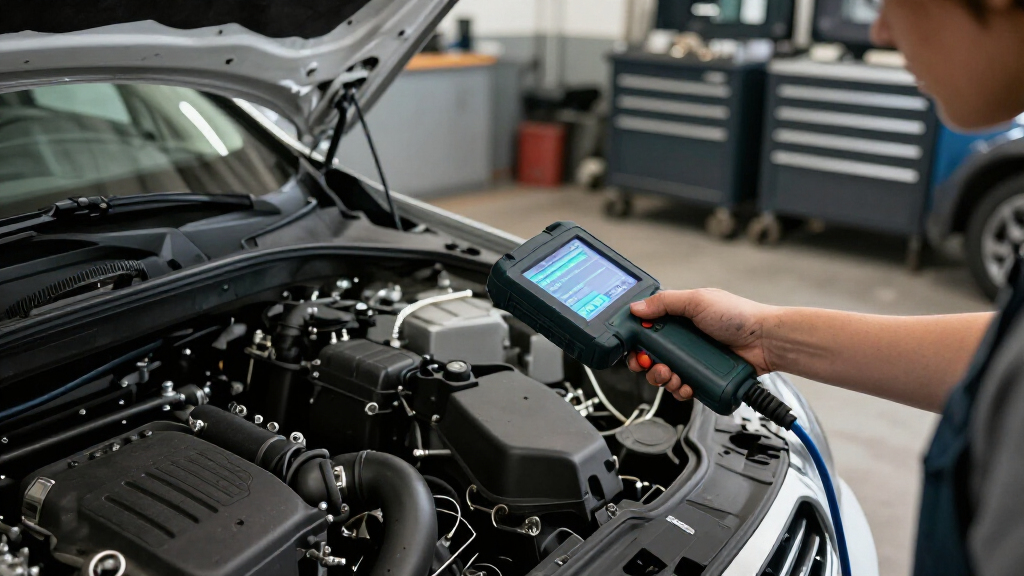
How We Picked
I ranked these tools around the work implied by the search: accessing vehicle systems, performing coding or programming where supported, and using active tests to diagnose problems. I gave more weight to clearly stated ECU programming or coding, useful protocol support, bidirectional functions, and workflow aids such as topology mapping than to a long service-function count alone. I also considered whether the tool appears aimed at broad shop use, a particular manufacturer, or an owner who needs fewer advanced capabilities.
The order reflects the strength and breadth of the stated feature set, not a guarantee that every function works on every vehicle. Product names and descriptions do not establish exact make, model-year, subscription, or module coverage, so I treat those as verification points rather than assumptions. Tools with narrower or less clearly stated programming capabilities rank below options that present a more complete coding-and-diagnostics package; value and ease of use matter, but they do not outweigh fit for the intended repair.
Factors to Consider When Choosing Scan Tool With Ecu Coding And Programming
Before choosing a scanner, I would match its actual supported procedures to the vehicles and jobs in front of me. A long feature list can be less useful than reliable access to one manufacturer’s modules, and programming can carry requirements that ordinary diagnostics do not.
Separate Coding From Programming
Manufacturers and sellers may use coding and programming in overlapping ways, but buyers should ask what operation is actually supported. Coding often changes configuration or module options, while programming may involve writing software or calibrations; the exact scope varies by vehicle and tool. Do not assume that a scanner described as having ECU coding can install every module update. Check the specific procedure name, supported control unit, and required account or software access before buying. If your work is limited to configuration changes, paying extra for broader programming claims may not help. For software flashing, confirm the tool supports the vehicle’s required process and that you can meet its power and connection requirements.
Check Coverage by Make, Model, Year, and Module
Coverage is not a single yes-or-no attribute: a tool may communicate with a vehicle yet lack coding access for a particular module. Verify the exact year, engine, market, and system you intend to service, then look for the specific function in the manufacturer’s coverage information. This matters especially when comparing broad tools with a brand-focused option such as the BMW-oriented IP500. A common mistake is relying on a general statement like “full system” as proof that advanced procedures are available. Ask whether coverage requires an active update plan, an online account, or separate authorization. If your garage services mixed makes, prioritize breadth; if nearly all jobs involve one marque, depth may matter more.
Budget for Updates, Online Access, and Authorization
Some coding and programming functions depend on current software, online services, or manufacturer authorization, so the purchase itself may not be the whole ownership cost. Find out how long updates are included, what remains available after that period, and whether an account or subscription is needed for the tasks you perform. FCA AutoAuth is one example of a vehicle-access requirement that can affect workflow, but authorization needs vary by make and procedure. A common buying error is treating included updates as permanent access to every online function. Compare the tool’s ongoing access terms with the frequency of your repairs, not just its initial feature list. If you only need occasional diagnostics, a simpler tool may be a better fit than paying for access you rarely use.
Treat Programming as a Power and Connection Job
Module programming can be interrupted by unstable voltage or a lost connection, potentially leaving a repair unfinished. Before attempting a write procedure, check the vehicle maker’s instructions for battery support, network setup, and required equipment; a scanner alone may not supply everything needed. Wireless operation is convenient for diagnostics and active tests, but a stable wired connection may be preferable when the procedure allows it and reliability is the priority. Do not begin a programming job simply because the scanner menu exposes an option. Confirm the exact procedure, prepare the vehicle, and avoid switching off or disconnecting equipment during a write. Buyers doing this work regularly should include supporting power equipment and training in their planning.
Choose the Right Level of Diagnostics and Workflow
Bidirectional controls let a technician command supported components, which can help distinguish a failed part from a wiring or control issue. Topology mapping can add a visual view of connected modules, but it is most useful when the vehicle and fault type are supported and the operator knows how to interpret the map. Reset and service-function counts are not a substitute for confirming coverage of the one procedure you need. For occasional home repairs, prioritize clear menus and the systems you actually service; for shop use, weigh data access, active tests, and repeatable workflows more heavily. A larger screen or wireless connection can improve convenience, yet neither guarantees deeper ECU access. Pay for workflow features when they save time in the work you routinely do.
Match Tool Scope to Your Vehicle Mix
A general-purpose scanner is often the safer starting point for a varied garage, but advertised breadth can hide uneven support across manufacturers. A marque-focused tool may offer a more relevant set of procedures for one brand while being a poor choice as the only scanner in a mixed shop. Think about the next few years of vehicles you expect to service, not just the car currently in your driveway. If you maintain several makes, identify the most important coding jobs for each before settling on one device. If you mainly work on one brand, compare specialist coverage against the cost and inconvenience of keeping a second tool. The best fit is the one that covers your likely jobs, rather than the one with the longest specification list.
Frequently Asked Questions
Does a scanner advertised with ECU programming support every vehicle and module?
No. Support depends on the make, model year, module, procedure, and sometimes market or software version. A tool may offer programming on some vehicles while providing diagnostics only on others. Before purchase, check the manufacturer’s coverage information for the exact operation and control unit you need. If the tool relies on online access or authorization, verify those requirements too.
Can I use one of these tools to install a manufacturer software update at home?
Possibly, but the product description alone cannot confirm that a particular update is supported. Some procedures require manufacturer credentials, a stable internet connection, specific power support, or a separate service process. Confirm the vehicle’s official procedure and the scanner’s exact coverage before starting. If an interrupted write could immobilize the vehicle, a repair shop with the right equipment may be the safer choice.
Should I choose a wireless scanner or a wired one for coding work?
Wireless operation can make everyday diagnostics and active tests easier by reducing cable clutter. For programming, reliability matters more than convenience, and some procedures may call for a direct, stable connection or other setup requirements. Check the tool and vehicle instructions rather than assuming wireless support is suitable for every write operation. A wireless scanner can still be a good choice if you confirm the connection method required for your intended jobs.
Is a BMW-specific scanner a better choice than a general-purpose tool?
It can be, if BMWs make up most of your work and the specific coding, registration, and system access you need are supported. The IP500 is explicitly positioned for BMW, while options such as the Phoenix XLink are aimed at broader use. A specialist tool may be less useful when you regularly service other makes. Compare exact procedures across your actual vehicle list before choosing either approach.
What should I verify before paying more for a premium scan tool?
Start with the jobs that justify the added capability: specific ECU programming, online coding, topology mapping, or support for newer communication protocols. Confirm those functions work on your vehicles and find out whether they require paid updates, accounts, or authorization. Then check whether the tool offers useful diagnostic features beyond the headline capability, such as bidirectional tests for your systems. If your regular work does not use advanced functions, a lower-scope scanner may cover your needs without added complexity.
Conclusion
For the broadest stated mix of ECU programming, online coding, bidirectional diagnostics, and newer protocols, I would choose the TOPDON Phoenix XLink as best overall, after checking coverage for the vehicles I service. The XTOOL D9S PRO is my premium pick for buyers who value topology mapping alongside programming-focused diagnostics. For a more restrained option, the TOPDON ArtiDiag Pro is the best value fit for buyers whose needs center on coding, active tests, and service work rather than the broadest programming package. Beginners should start with the XTOOL D7 if its supported functions match their vehicles, while buyers focused on BMW should examine the XTOOL IP500. Choose by verified vehicle-level support first; the best scanner on paper is not the best choice if it cannot perform your intended procedure.