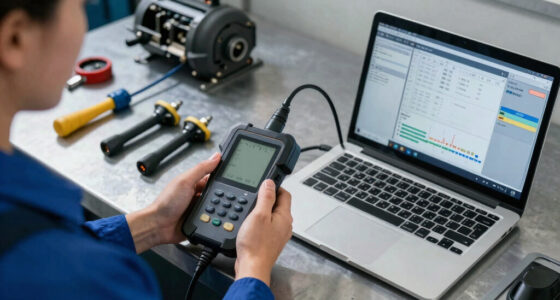
A transmission fluid temperature scan tool for service can help you check fluid temperature during level-setting procedures, but the right choice depends on whether your vehicle exposes that data and how much diagnostic coverage you need. My best overall pick is the XTOOL D6S for its full-system approach and broad service functions; the QPKING AS505 is a focused alternative with a temperature display, while the TOPDON AD600S suits buyers who want several system diagnostics in one tool. The main tradeoff is between a dedicated temperature-reading device and a scan tool that also handles wider diagnostics, resets, and live data. Vehicle compatibility and access to the correct transmission data matter more than a long feature list. Read on for the full breakdown and guidance on matching a tool to your service needs.

Get business pricing on garage and car supplies
- Business-only prices and quantity discounts
- Tax-exempt purchasing
- Multiple users, one account, clear invoices
Complete the kit


Key Takeaways
- The QPKING AS505 is the specialist option: its temperature display targets fluid-temperature checks, while the other picks are broader diagnostic scanners whose transmission data access depends on vehicle coverage.
- The XTOOL D6S leads for breadth: its full-system design and 30 reset functions make it a stronger fit for mixed service work than a temperature-only tool.
- Four-system coverage is not the same as transmission temperature support: confirm the exact vehicle, transmission module, and live-data parameter before buying any scanner.
- Live data is central to service checks: a tool that can display transmission temperature can be more useful for a procedure than one with many unrelated reset functions.
- The lineup splits into specialist and general-purpose choices: the AS505 prioritizes focused temperature work, while the OBDMATE OM901, ANCEL FX2000-US, FOXWELL NT614 Elite, Launch CRP123E V2.0 Elite, TOPDON AD600S, and XTOOL D6S target broader diagnostics to varying degrees.
| OBDMATE OM901 OBD2 Scanner with ABS, SRS, Engine, and Transmission Diagnostics |  | Best for At-Home Service Checks | Display: 3.5-inch TFT screen | Diagnostic systems: ABS, SRS, engine (ECM), and transmission (TCM) | Live-data features: Live data with graphing | VIEW ON AMAZON | See Our Full Breakdown |
| ANCEL FX2000-US OBD2 Scanner, 4-System Car Diagnostic Tool with Live Data |  | Best Value for Core Four-System Diagnostics | Model: FX2000-US | Diagnostic systems: Engine, ABS, SRS/Airbag, and transmission | Functions: Read and clear codes, live data, and full OBDII functions | VIEW ON AMAZON | See Our Full Breakdown |
| FOXWELL NT614 Elite OBD2 Scanner – Car Diagnostic Tool with 5 Resets, Live Data, Auto VIN, WiFi Updates |  | Best for Transmission Temperature Monitoring | Live data: Includes engine speed, vehicle speed, transmission temperature, and battery voltage | Diagnostic functions: Fault-code reading and clearing, live data, freeze frame, I/M readiness, EVAP test, onboard monitor, vehicle information, and MIL light | Service resets: Oil, EPB, ABS bleeding, SAS calibration, and throttle reset | VIEW ON AMAZON | See Our Full Breakdown |
| QPKING AS505 Transmission Fluid Tester with Temperature Display |  | Best for Direct Fluid Checks | Model: AS505 | Measurements: Automatic transmission fluid transmittance and temperature | Intended fluid: Automatic transmission fluid only | VIEW ON AMAZON | See Our Full Breakdown |
| 2026 Upgraded Launch CRP123E V2.0 Elite OBD2 Scanner with Lifetime Updates |  | Best Premium Screen and Live-Data Workspace | Display: 5-inch touchscreen | Diagnostics: Full OBD2 and four-system diagnostics | Live data: Monitors up to four live-data streams simultaneously | VIEW ON AMAZON | See Our Full Breakdown |
| TOPDON AD600S OBD2 Scanner for Engine, ABS, SRS, and Transmission Diagnostics |  | Best for Maintenance-Service Coverage | Diagnostic systems: Engine, ABS, transmission, and SRS | Screen: 5-inch touchscreen | Operating system: Android 11 | VIEW ON AMAZON | See Our Full Breakdown |
| XTOOL D6S OBD2 Scanner – Full System with 30 Reset Functions |  | Best for Broad Reset and Relearn Coverage | Screen: 5.45-inch HD touchscreen, 1440 × 720 | Storage: 32 GB ROM, expandable via microSD | Supported protocols: OBD2/EOBD/JOBD, CAN, CAN-FD, and FCA AutoAuth | VIEW ON AMAZON | See Our Full Breakdown |
More Details on Our Top Picks
OBDMATE OM901 OBD2 Scanner with ABS, SRS, Engine, and Transmission Diagnostics
The OBDMATE OM901 is a sensible pick for DIY service work when you need to read transmission data alongside engine, ABS, and SRS codes. Its live-data graphing can help you watch supported transmission readings during a warm-up or road test, while the 3.5-inch display keeps the tool self-contained. Compared with the ANCEL FX2000-US, the OM901 adds stated battery and DLC pin voltage tests, which are useful when a scan problem may involve the vehicle’s power or connector. That breadth does not make it a dedicated fluid tester: temperature readings depend on vehicle data support, and it does not measure fluid condition directly. Updates require a computer and website download, so it is less convenient than the FOXWELL NT614 Elite’s Wi-Fi update method. I’d choose it for a covered vehicle and routine diagnostics, not as a substitute for verifying the correct service procedure.
Pros:- Reads and clears codes across engine, ABS, SRS, and transmission systems
- Live-data graphing can help track supported transmission temperature readings
- Battery voltage and DLC pin voltage tests add basic electrical troubleshooting
- Includes a silicone protective case and hard carrying case
Cons:- Transmission data access varies with vehicle make, model, year, and protocol
- Software updates require a computer and website download
- Does not directly measure transmission fluid clarity or condition
Best for: DIY owners who want one handheld tool for transmission live data, common system codes, and basic electrical checks on a supported vehicle.
Not ideal for: Buyers who need a direct fluid-condition measurement, phone-based diagnostics, or updates without connecting the scanner to a computer.
- Display:3.5-inch TFT screen
- Diagnostic systems:ABS, SRS, engine (ECM), and transmission (TCM)
- Live-data features:Live data with graphing
- Other functions:Read and clear codes, freeze frame, I/M readiness, VIN retrieval, O2 sensor test, onboard monitoring, EVAP leak test
- Electrical tests:Battery voltage check and DLC 16-pin voltage test
- Connection and power:USB Type-C for updates; plug-and-play vehicle power, no batteries required
- Languages:English, French, Italian, German, and Spanish
- Included items:Scanner, hard carrying case, USB Type-C cable, and user manual
- Warranty:3 years
Our verdict“Choose the OM901 for a practical handheld service scanner with transmission live data and added voltage checks, provided your vehicle supports the readings you need.”
ANCEL FX2000-US OBD2 Scanner, 4-System Car Diagnostic Tool with Live Data
The ANCEL FX2000-US keeps its purpose straightforward: read and clear codes across engine, ABS, SRS, and transmission systems, then show real-time data on the handheld unit. That makes it a good fit for owners who want transmission information during service checks without moving into a more feature-heavy tool. Compared with the OBDMATE OM901, it has no listed battery or DLC pin voltage tests, but its free lifetime software updates avoid the OM901’s computer-and-download update routine. The tradeoff is a simpler information package: the supplied details do not specify a graphing function or a dedicated transmission-temperature feature, and the screen is not paired with a smartphone app. Transmission access also depends on vehicle coverage, so I’d check the exact make and model before buying. Pick this for core diagnostics; consider the FOXWELL NT614 Elite if reset functions matter more.
Pros:- Covers engine, ABS, SRS, and transmission diagnostics
- Displays real-time data for troubleshooting
- Plug-and-play setup keeps operation simple
- Free lifetime software updates
Cons:- ABS, SRS, and transmission coverage varies by vehicle
- No smartphone app compatibility; information stays on the device
- Product data does not specify graphing or a dedicated transmission-temperature function
Best for: Owners of supported 1996-and-newer vehicles who want an uncomplicated handheld scanner for four-system codes and live data.
Not ideal for: DIYers who need specified transmission-temperature graphing, electrical connector tests, smartphone access, or advanced service resets.
- Model:FX2000-US
- Diagnostic systems:Engine, ABS, SRS/Airbag, and transmission
- Functions:Read and clear codes, live data, and full OBDII functions
- Vehicle compatibility:Most 1996-and-newer OBD2 vehicles; coverage varies by make and model
- Software updates:Free lifetime updates
- Operation:Plug-and-play handheld scanner
- Item weight:740 g
- Included components:OBD2 scanner, card reader, diagnostic cable, USB cable, and user manual
Our verdict“Choose the FX2000-US for straightforward four-system scanning and live data on a supported vehicle, but not for specialized temperature analysis or reset-heavy service work.”
FOXWELL NT614 Elite OBD2 Scanner – Car Diagnostic Tool with 5 Resets, Live Data, Auto VIN, WiFi Updates
For this roundup’s temperature-focused service use, the FOXWELL NT614 Elite has the clearest fit: its listed live data includes transmission temperature, alongside engine speed, vehicle speed, and battery voltage. That gives a technician or capable DIYer a way to monitor the vehicle’s reported temperature while following a service procedure. Unlike the QPKING AS505, it reads vehicle data rather than directly measuring fluid transmittance; the QPKING is the more specialized choice for a fluid sample, but it does not read fault codes. The NT614 Elite adds Wi-Fi updates, auto VIN detection, and service resets such as ABS bleeding and SAS calibration. Its broader toolkit costs simplicity: coverage varies by vehicle, and it lacks TPMS support and bi-directional control. I’d choose it when temperature data and multi-system service functions matter more than advanced active testing.
Pros:- Lists transmission temperature among its live-data readings
- Wi-Fi updates and auto VIN detection simplify setup and software maintenance
- Includes oil, EPB, ABS bleeding, SAS, and throttle resets
- Supports engine, transmission, ABS, and SRS diagnostics
Cons:- Vehicle compatibility and function coverage vary by model
- Does not support TPMS or bi-directional control
- Reports vehicle data rather than directly testing fluid transmittance or condition
Best for: DIY mechanics and independent service users who need to view supported transmission-temperature data while performing multi-system diagnostics.
Not ideal for: Buyers who want direct fluid-condition testing, TPMS diagnostics, bi-directional controls, or guaranteed coverage without checking their vehicle.
- Live data:Includes engine speed, vehicle speed, transmission temperature, and battery voltage
- Diagnostic functions:Fault-code reading and clearing, live data, freeze frame, I/M readiness, EVAP test, onboard monitor, vehicle information, and MIL light
- Service resets:Oil, EPB, ABS bleeding, SAS calibration, and throttle reset
- Vehicle coverage:1996+ US, 2000+ EU, Asian vehicles, light trucks, and SUVs; compatibility varies
- Protocols:KWP2000, J1850 VPW, ISO9141, J1850 PWM, and CAN
- Update method:Wi-Fi
- Power:Powered through vehicle connection; no built-in battery
- Storage:Built-in storage; no micro SD card required
- Software version:2025
Our verdict“Choose the NT614 Elite when viewing vehicle-reported transmission temperature and having service resets in one scanner are higher priorities than direct fluid testing or active controls.”
QPKING AS505 Transmission Fluid Tester with Temperature Display
The QPKING AS505 takes a different approach from the OBD2 scanners in this list: its probe measures automatic transmission fluid temperature and transmittance, rather than retrieving temperature from the vehicle computer. That makes it useful when a service decision calls for a fluid sample reading, while the FOXWELL NT614 Elite is better for watching transmission temperature as reported by supported vehicle sensors. The AS505’s 31.5-inch probe and backlit display are practical for reaching the fluid and reading results, but its narrow purpose is also its main limitation. It cannot diagnose transmission codes, check pressure or viscosity, or test other fluids. I’d treat it as a companion measurement tool, not a scan tool replacement. Choose it when direct fluid inspection is the priority; choose the OBDMATE OM901 or another scanner for broader service diagnostics.
Pros:- Measures both automatic transmission fluid temperature and transmittance
- Long 31.5-inch probe helps reach fluid for testing
- Backlit LCD displays readings and reference indicators
- Four-step testing process is focused on a specific service task
Cons:- Designed for automatic transmission fluid only
- Does not read fault codes or vehicle-reported live data
- Does not measure pressure or viscosity
Best for: Transmission service technicians or experienced DIYers who need a direct temperature and transmittance reading from automatic transmission fluid.
Not ideal for: Buyers seeking OBD2 code diagnosis, vehicle live data, pressure or viscosity readings, or a single tester for multiple fluid types.
- Model:AS505
- Measurements:Automatic transmission fluid transmittance and temperature
- Intended fluid:Automatic transmission fluid only
- Probe length:31.5 inches
- Display:2.8-inch backlit LCD with readings and reference indicators
- Testing process:Four-step testing process
- Item weight:13.1 ounces
- Package dimensions:9.49 x 5.63 x 2.13 inches
Our verdict“Choose the AS505 for direct automatic transmission fluid temperature and transmittance checks, and pair it with a scan tool if you also need codes or vehicle data.”
2026 Upgraded Launch CRP123E V2.0 Elite OBD2 Scanner with Lifetime Updates
The Launch CRP123E V2.0 Elite is the more expansive option for users who want a roomy interface and several live-data streams visible at once. Its 5-inch touchscreen and ability to monitor up to four streams can make a service session easier to follow than the smaller-screen OBDMATE OM901, particularly when comparing related readings. It offers four-system diagnostics, battery testing, service functions, and lifetime updates, giving it a broader workshop role than the direct-measurement QPKING AS505. The supplied details do not specifically confirm a transmission-temperature parameter, though, so I would verify that the tool exposes the needed data for the exact vehicle before buying it for temperature-based service. Its advanced functions can also take more learning, and CAN FD or DoIP support may require adapters. This is the choice for a capable, expandable scanner, not the simplest route to one temperature reading.
Pros:- 5-inch touchscreen provides more working space than smaller handheld displays
- Can monitor up to four live-data streams simultaneously
- Includes full OBD2 functions, four-system diagnostics, battery testing, and reset functions
- Lifetime free updates and dual-band Wi-Fi
Cons:- Provided specifications do not confirm a transmission-temperature parameter; verify vehicle-specific data support
- Some protocol support requires additional adapters
- Advanced functions may be complex for beginners
Best for: DIY mechanics and small-shop users who want a large touchscreen, multi-stream live-data display, and broad service functions in one scanner.
Not ideal for: Beginners seeking a simple temperature-only tool, or buyers who require confirmed transmission-temperature support without checking vehicle coverage first.
- Display:5-inch touchscreen
- Diagnostics:Full OBD2 and four-system diagnostics
- Live data:Monitors up to four live-data streams simultaneously
- Service functions:Supports various reset and service functions
- Battery testing:Supported
- Battery capacity:6000mAh
- Memory:2GB RAM and 32GB storage
- Connectivity and updates:Dual-band Wi-Fi; lifetime free updates
- Compatibility and protocols:Vehicles since 1996; CAN FD and DoIP with adapters
Our verdict“Choose the CRP123E V2.0 for a larger, more capable live-data workspace, but confirm it reports your vehicle’s transmission temperature before making it your service tool.”
TOPDON AD600S OBD2 Scanner for Engine, ABS, SRS, and Transmission Diagnostics
For transmission service work, the AD600S offers a useful middle ground: it can read transmission-system codes and live data, while its nine service functions handle related jobs such as ABS bleeding, oil reset, and throttle relearn. Graphs and report sharing help document a scan, but the product data does not specify a dedicated transmission-fluid temperature test or a temperature probe, so buyers should confirm that their vehicle exposes the needed temperature PID before relying on it for fluid-level procedures. Compared with the XTOOL D6S, the AD600S has fewer listed reset functions and a smaller screen, but includes lifetime software updates without a subscription fee. Its main compromises are vehicle-dependent function support, Wi-Fi setup, and the need for weekly charging to protect battery health.
Pros:- Reads and clears codes across engine, ABS, transmission, and SRS systems.
- Nine service functions cover common maintenance tasks, including ABS bleeding and DPF regeneration.
- Lifetime software updates are included without subscription fees.
- Live-data graphs and save, share, print, and email report options support service documentation.
Cons:- Vehicle-specific compatibility determines which diagnostics and service functions are available.
- A dedicated transmission-fluid temperature test is not specified; verify the vehicle’s available live-data PIDs.
- Initial setup requires Wi-Fi, and the scanner should be charged weekly to protect battery health.
Best for: DIYers and independent service technicians who want transmission live data alongside common maintenance resets and report sharing.
Not ideal for: Buyers who need a confirmed transmission-fluid temperature reading across their vehicle lineup, or who want to avoid Wi-Fi setup and regular battery charging.
- Diagnostic systems:Engine, ABS, transmission, and SRS
- Screen:5-inch touchscreen
- Operating system:Android 11
- Storage:32 GB
- Service functions:Nine, including oil reset, EPB reset, BMS reset, DPF regeneration, ABS bleeding, and injector coding
- Vehicle coverage:90+ brands; many OBDII-compliant 12V light-duty vehicles from 1996 onward
- Connectivity and protocols:Wi-Fi, CAN-FD, and FCA AutoAuth gateway access
- Item weight:630 g
- Warranty:1 year
Our verdict“Choose the AD600S if you want broad system diagnostics and maintenance functions in one tool, but verify transmission-temperature PID support for your vehicle first.”
XTOOL D6S OBD2 Scanner – Full System with 30 Reset Functions
The XTOOL D6S suits service bays and capable DIY users who want extensive reset and relearn coverage alongside full-system diagnostics. Its 30 procedures, CAN-FD support, and FCA AutoAuth access give it a broader listed service toolkit than the TOPDON AD600S, which specifies nine service functions. For transmission-temperature work, though, breadth is not proof of a dedicated fluid-temperature test: the supplied details do not confirm a specific transmission temperature PID or probe, so check compatibility for the exact vehicle and procedure. A 5.45-inch HD screen and expandable storage are practical advantages when viewing data or keeping reports. The tradeoff is that some functions may require VIN entry or a separate AutoAuth subscription, and vehicle support still varies despite the wide coverage claim.
Pros:- Full-system diagnostics cover engine, ABS, transmission, airbag, and more.
- Thirty reset and relearn procedures provide broader listed service coverage than the AD600S.
- CAN-FD and FCA AutoAuth support suit many newer vehicles.
- HD touchscreen, expandable storage, and 23-language support aid data review and report handling.
Cons:- The provided product details do not confirm a dedicated transmission-fluid temperature test or probe.
- Some functions require VIN entry or a separate AutoAuth subscription.
- Compatibility varies by vehicle, so supported functions need checking before purchase.
Best for: Independent technicians and experienced DIYers who work across many vehicle models and want a large set of reset and relearn procedures.
Not ideal for: Occasional users seeking a simple, confirmed fluid-temperature reader, or buyers unwilling to check vehicle support and possible AutoAuth requirements.
- Screen:5.45-inch HD touchscreen, 1440 × 720
- Storage:32 GB ROM, expandable via microSD
- Supported protocols:OBD2/EOBD/JOBD, CAN, CAN-FD, and FCA AutoAuth
- Vehicle coverage:10,000+ models worldwide
- Diagnostic coverage:Full-system diagnostics, including engine, ABS, transmission, and airbag
- Reset and relearn functions:30
- Languages:23
- Warranty:2 years
Our verdict“Pick the D6S for broad diagnostics and reset coverage across varied vehicles, but confirm transmission-temperature data support and any access requirements before service.”
How We Picked
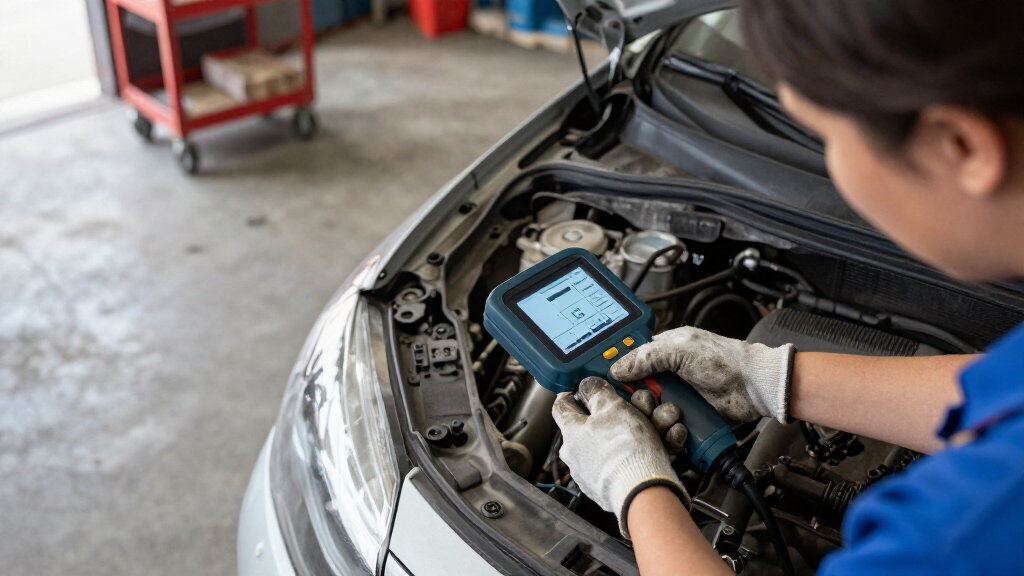
I ranked these tools by how directly they serve a transmission fluid temperature check, then by the practical value of their other diagnostic features. I weighed stated transmission access, live-data capability, supported systems, service functions, update approach, and how clearly the product’s role fits a buyer’s workflow. A dedicated temperature display earns credit for focus, while broader scanners earn credit when transmission data sits alongside useful diagnostics rather than being implied by a general feature list.
The ranking also reflects a key limitation in this category: vehicle coverage varies, and a scanner’s ability to communicate with transmission systems is not universal. I favored tools whose stated functions suggest a wider service role, but I do not treat a feature count as proof that a specific vehicle’s temperature parameter is supported. Before purchase, buyers should verify compatibility for the exact year, make, model, and transmission. This keeps the recommendations useful without assuming unlisted coverage or performance.
Factors to Consider When Choosing Transmission Fluid Temperature Scan Tool For Service
Choosing a tool for transmission-temperature service takes more than comparing screen features. I would start with the procedure and vehicle, then decide whether a specialist display or a multi-system scanner better fits the work.
Confirm the Vehicle Reports Transmission Temperature
A scan tool can only show data the vehicle’s control modules make available to it. Check support by year, make, model, and transmission, not just by a broad claim such as transmission diagnostics. Some vehicles may expose the reading through a manufacturer-specific module or data list rather than a generic OBD-II screen. Ask the seller or consult a vehicle-specific coverage list for the exact parameter you need. A common buying mistake is assuming that transmission codes or module access automatically mean live temperature is available. If the reading is absent, the tool may still be useful for other work, but it will not meet this particular service need.
Match the Tool to the Service Procedure
Many fluid-level procedures call for checking temperature while the vehicle is running and following a specific sequence. Read the service instructions first so you know the required temperature range, operating state, and whether the data must be monitored continuously. A display that shows temperature is not a substitute for the correct procedure or a dependable way to identify the right data stream. Think about whether you need a live reading while moving through gears or simply a value at a particular point. If the process requires other checks, such as confirming engine or transmission status, a broader scanner may reduce tool changes. For occasional, focused work, a dedicated temperature device may be simpler.
Prioritize Live Data Over Feature Counts
For temperature-based service, the ability to access and read the relevant live transmission data matters more than a large number of reset functions. A tool can advertise many maintenance features yet provide limited access to the parameter your job requires. Look for clear information about live-data display, data selection, and transmission-module coverage. Graphing or recording can help when you need to observe a changing value, but only if the specific vehicle parameter is supported. Avoid choosing solely by the number of systems or resets listed. Match the feature to the job you expect to perform most often.
Choose Between a Specialist and a General Scanner
A focused temperature tool can make sense when transmission fluid checks are the main task and you do not need broad diagnostics. A general scanner is a better fit for a home garage or service workflow that also includes engine, ABS, and SRS diagnosis. The tradeoff is that a multi-system device can add capability without guaranteeing deeper transmission coverage on every vehicle. Consider how often those extra systems will be used and whether they justify more setup and feature complexity. If the tool is shared among several users, a straightforward dedicated display may be easier to hand off. If it will support varied jobs, broader system access may offer more day-to-day utility.
Check Updates, Support, and Ownership Terms
Vehicle coverage can change as software is updated, so review the manufacturer’s stated update policy and how updates are installed. Lifetime updates, where offered, do not by themselves confirm that a particular transmission parameter is supported; coverage details still need checking. Also look at whether the device relies on Wi-Fi, a computer connection, or another update method, and whether the package includes the needed cable or accessories. Service tools may stay in use for years, making software access and support part of the ownership decision. Do not mistake an update promise for a guarantee of compatibility with every vehicle.
Plan for Safe, Practical Use Around a Running Vehicle
Temperature checks may require the engine to run, the vehicle to remain level, and the technician to move through a prescribed sequence. Choose a tool with a screen and controls that are practical to read without distracting from safe work. Keep the cable routed away from pedals, hot components, and moving parts, or use a suitable wireless setup if the tool supports one. A compact scanner can be easier to position, while a larger screen may make live data easier to read. Follow the vehicle maker’s service steps and use appropriate lifting and safety practices. A tool’s convenience should never replace a safe working position.
Frequently Asked Questions
Can any OBD-II scanner read transmission fluid temperature?
No. Basic OBD-II access does not guarantee a live transmission-temperature reading, because the value may depend on vehicle-specific module support and data coverage. A scanner may read engine codes yet have limited access to the transmission control module. Check compatibility for the exact vehicle and confirm that transmission temperature is listed as a live-data parameter. If the seller cannot confirm that point, treat the capability as unverified rather than assuming it from the product category.
Should I buy a dedicated temperature tester or a multi-system scan tool?
Choose a dedicated device if your regular task is checking transmission temperature and you want a focused workflow. A multi-system scanner makes more sense if you also diagnose engine, ABS, or SRS issues and will use those functions. The wider tool may offer more value across jobs, but its broader feature set does not guarantee better transmission data access. Compare the exact temperature function and vehicle coverage before weighing extra features. Your usual work, not the longest feature list, should drive the choice.
Does a scanner’s transmission diagnostics feature mean it can show live temperature?
Not necessarily. “Transmission diagnostics” can refer to reading or clearing codes, while live temperature is a separate data function that may be limited by vehicle coverage. Look for explicit live-data support and confirmation of the temperature parameter for your vehicle. If a product listing only names transmission diagnostics, ask for clarification before relying on it for a fluid-level procedure. This distinction is especially important when comparing general scanners with a device designed around temperature display.
What information should I have before checking compatibility?
Gather the vehicle’s model year, make, model, engine, and transmission details where available. Some coverage tools use the VIN, but it is still useful to know the exact transmission configuration if the vehicle had multiple options. Then confirm both transmission-module access and the live temperature parameter, not merely general code reading. If the service procedure comes from a repair manual, note the required data name and operating conditions. These details help avoid buying a scanner that connects to the car but cannot display the reading you need.
Do software updates make a scanner compatible with every vehicle?
No. Updates can add or revise coverage, but they do not promise support for every make, model, module, or data point. Compatibility also depends on the scanner’s hardware and the vehicle’s communication systems. Review current coverage for the specific vehicle before purchase, and check how updates are delivered and whether the stated update terms apply to the functions you need. If you service newer or varied vehicles, ongoing software access is useful, but it should sit alongside a vehicle-by-vehicle compatibility check.
Conclusion
For most buyers seeking one tool for temperature-related transmission service and broader diagnostics, I would start with the XTOOL D6S as the best overall, while verifying the exact vehicle’s live-data coverage before ordering. The QPKING AS505 is my best pick for a specific need: a focused temperature display for buyers whose work centers on transmission fluid checks. For a broader service mix, the TOPDON AD600S is a strong alternative, and the FOXWELL NT614 Elite or Launch CRP123E V2.0 Elite may suit buyers who value their respective stated reset, live-data, or update features after confirming coverage. For a value-minded general-use choice, compare the OBDMATE OM901 and ANCEL FX2000-US against the systems and live data your vehicles require; neither should be selected on a transmission label alone. For beginners, I would favor the tool with the clearest compatibility confirmation and simplest route to the temperature reading, rather than the one with the most functions. The final decision comes down to one check: can the device show transmission temperature on the vehicle you service?