If your Milwaukee power tool charger is blinking red, it can be confusing and disrupt your work. This guide provides clear, practical steps to diagnose and fix the issue safely, ensuring your tools stay powered and ready to use.

Get business pricing on garage and car supplies
- Business-only prices and quantity discounts
- Tax-exempt purchasing
- Multiple users, one account, clear invoices
We’ll cover common causes of the red blinking light, how to troubleshoot them, and tips to prevent future problems, so you can get back to your projects quickly and confidently.
Key Takeaways
| Understanding the blinking red light | Indicates issues with the battery, charger, or safety features. |
| Check the batteries first | Often the cause is a battery issue, not the charger. |
| Safety features matter | Overheating or faulty connections can trigger the red blink. |
| Step-by-step troubleshooting | Follow the guide to identify and fix common causes safely. |
Identify the Cause of the Red Blinking Light
- Inspect the charger and batteries for visible damage, dirt, or corrosion.
- Check if the batteries are properly seated and fully inserted.
- Note if the blinking pattern is steady or intermittent, which can indicate specific issues.
Ensure Proper Battery Compatibility and Condition
- Use Milwaukee M18 batteries, such as the 5.0 Ah XC or the 6.0 Ah high output, which are compatible with your charger.
- Test each battery by using it with a known working tool or charger to verify if the problem persists.
- Replace any batteries that are swollen, damaged, or not holding charge.
Check for Overheating or Safety Triggers
- Allow the charger and batteries to cool down if they feel warm—overheating causes blinking red for safety.
- Ensure the charger is placed on a flat, hard surface in a well-ventilated area.
- Inspect the charger for dust, dirt, or debris that could interfere with proper operation.
Reset and Test the Charger
- Unplug the charger from power and remove the batteries.
- Wait for at least 10 seconds before reconnecting the charger and inserting a fully charged battery.
- Observe the blinking pattern; a steady green indicates readiness, while a red blink suggests an issue.
Replace or Service the Charger
If the red blinking persists despite following the above steps, consider replacing the charger or contacting Milwaukee support for assistance. Never attempt to open or repair the charger yourself to avoid safety hazards.
The Products in This Guide

Milwaukee M18 18V Cordless Power Tool Combo Kit
- ✔ Battery Type: Lithium-ion
- ✔ Battery Capacity: Varies (3x included)
- ✔ Warranty: Standard manufacturer warranty

Milwaukee Shockwave 100pcs Impact Driver Bit Set Packout
- ✔ Bit Type: Impact driver bits
- ✔ Case: Packout
- ✔ Color: Yellow/Black
Milwaukee M18 18V Cordless Power Tool Combo Kit
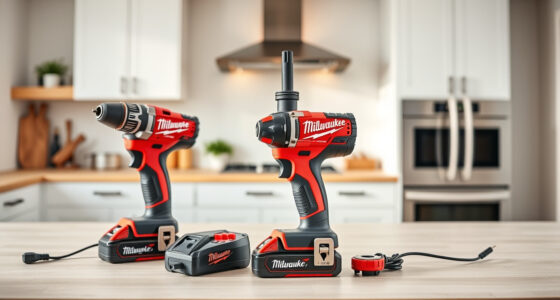
The Milwaukee M18 18V Cordless Power Tool Combo Kit offers versatile tools with dependable batteries and charger. When the charger blinks red, troubleshooting is essential to keep your workflow uninterrupted.
Pros:
- Includes 3 batteries for extended use
- Rapid charger minimizes downtime
- Compatible with a wide range of Milwaukee tools
- Durable and reliable design
Cons:
- Charger may need replacement if faulty
- Batteries can lose capacity over time
- Requires correct handling and storage
Best for: Tradespeople needing a comprehensive cordless tool setup
Not ideal for: Casual DIYers with minimal power tool use
Bottom line: Ensuring proper battery and charger maintenance prevents blinking red issues and prolongs tool lifespan.
Milwaukee Shockwave 100pcs Impact Driver Bit Set Packout
The Milwaukee Shockwave 100pcs Impact Driver Bit Set Packout complements your M18 tools, ensuring you have robust, reliable bits for tough jobs and reducing wear on your charger and batteries.
Pros:
- Wide variety of bits
- Durable Shockwave impact ready
- Organized Packout case
- Compatible with impact drivers
Cons:
- Large set may be overkill for simple tasks
- Additional storage needed for organization
- Bits can be lost if not stored properly
Best for: Professionals needing high-impact bit versatility
Not ideal for: Occasional DIY projects with light usage
Bottom line: A comprehensive impact bit set that boosts your tool’s performance and reduces wear on batteries and chargers.
Frequently Asked Questions
Why is my Milwaukee charger blinking red?
A blinking red light typically indicates a problem such as overheating, incompatible batteries, or a fault with the charger or batteries.
How can I fix the blinking red on my charger?
Check the batteries for damage, ensure they are properly seated, allow the charger to cool, and verify compatibility. Follow the step-by-step troubleshooting guide above.
Should I replace my charger if it keeps blinking red?
If troubleshooting does not resolve the issue, consider replacing the charger or contacting Milwaukee support for assistance.
Can I use different batteries with my Milwaukee charger?
Use only Milwaukee M18 batteries compatible with your charger to avoid issues like blinking red lights. Check the battery specifications for compatibility.
Keep Your Milwaukee Tools Running Smoothly
Proper maintenance and careful troubleshooting can resolve the blinking red light issue, ensuring your Milwaukee power tools remain a reliable part of your toolkit. Remember to use compatible batteries, avoid overheating, and follow safety procedures to extend the life of your equipment.
Affiliate disclosure: As an Amazon Associate we earn from qualifying purchases. Prices and availability are accurate as of the time of publishing.
Halloween Picks
halloween
As an affiliate, we earn on qualifying purchases.