TL;DR

Get business pricing on garage and car supplies
- Business-only prices and quantity discounts
- Tax-exempt purchasing
- Multiple users, one account, clear invoices
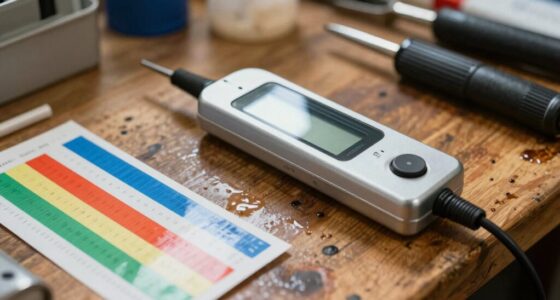
Automotive diagnostic scan tools read codes and vehicle data, and some can run tests or service functions. Their coverage varies by vehicle and tool, and a trouble code points toward a problem rather than naming the failed part. Check exact compatibility before buying, and treat safety critical repairs as work for a certified mechanic.
A check engine light can turn a quiet commute into a guessing game. An automotive diagnostic scan tool can show you what the vehicle’s computers recorded, but a code is a clue, not a verdict on which part to replace.
This guide explains what scan tools can do, why a cheap reader may miss important systems, and how to match a tool to your car and repair. You’ll also see where home diagnosis ends and a certified mechanic should take over, especially for brakes, airbags, and high voltage EV systems.
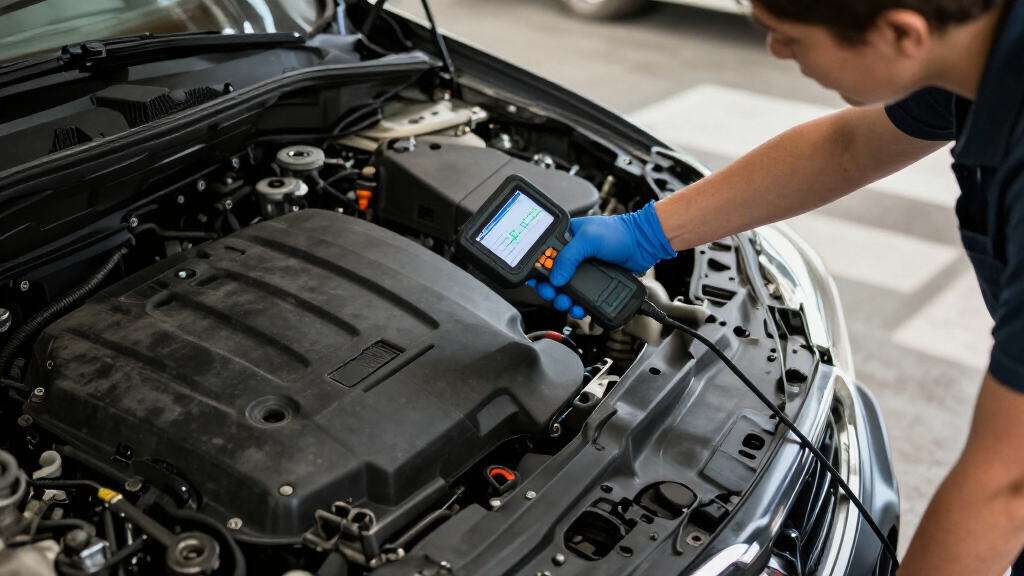
Think of the tool as a flashlight in a dark engine bay: it can reveal where to look, but you still need to inspect what it lights up. With that distinction in mind, you can avoid buying features you don’t need or clearing a warning that deserves attention.
A diagnostic trouble code points toward a problem; inspection and testing help identify its cause.
Standard OBD-II coverage does not guarantee access to ABS, airbag, transmission, or body modules.
Check exact year, make, model, system, and function support before buying a tool.
Save codes and freeze-frame data before clearing faults, since clearing can erase clues and reset readiness monitors.
Use a certified mechanic for safety critical repairs and trained EV professionals for high voltage work.
What a Scan Tool Can Tell You Before You Open the Hood
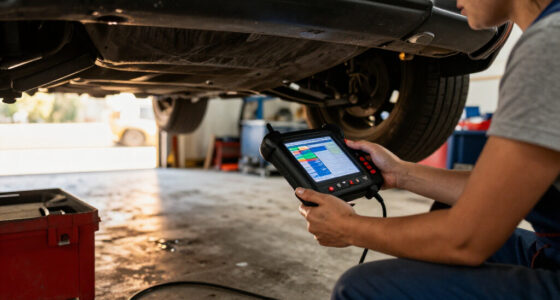
An automotive diagnostic scan tool communicates with a vehicle’s electronic control modules to retrieve trouble codes and, depending on the vehicle and tool, show live data or run tests. A code records the conditions a module noticed; it does not necessarily identify the failed component. The same code can have several causes, so replacing the part named in a code description without checking the surrounding evidence can waste money and leave the fault unresolved.
For example, an oxygen sensor code may point to a bad sensor, damaged wiring, an exhaust leak, or another engine issue. The sensor may be reporting a real mixture problem rather than causing one. Comparing its readings with other engine data, checking connections, and inspecting for leaks helps distinguish those possibilities. That interpretation matters because each cause leads to a different repair.
Some tools display freeze-frame data, a snapshot of engine conditions when a fault appeared, such as speed and temperature. Others show live readings that change as the engine runs. These details provide context: a fault that appears only during a cold start may suggest a different test path from one that begins after the engine warms up. Live data can also show whether a reading changes in a way that fits the symptoms, though an implausible reading still needs confirmation against service information or physical tests.
When you search for an automotive diagnostic scan, check whether it offers more than code lookup. Code retrieval is useful for identifying where to begin; data and test functions can help narrow the possibilities. More functions also require more knowledge to interpret, and a tool’s display does not replace vehicle specific diagnostic procedures.
Products Worth Considering

DEWALT 20V MAX 9-Tool Combo Kit with Impact Driver, Drill Driver, Oscillating Tool, Grinder, Circular Saw, Reciprocating Saw, Right Angle Dr

DEWALT FLEXVOLT ADVANTAGE 20V MAX Combo Kit with Hammer Drill & Impact Driver, 5.0-Ah, 2-Tool (DCK2100P2)

Chemical Guys 10-Piece Car Wash Kit with Foam Gun
As an affiliate, we earn on qualifying purchases.
Choose a Tool That Matches Your Vehicle and Your Repair
The right scan tool depends on the work you plan to do and the exact vehicle you own. A basic code reader may be enough to check an emissions warning, while diagnosing an ABS fault or commanding a component usually calls for broader coverage. The tradeoff is cost and complexity: broader tools can save time when you need their functions, but you may pay for capabilities your vehicle or repair does not use. Product names alone do not tell you which functions will work.
Here’s how the options differ:
| Tool type | Often useful for | Check before buying |
|---|---|---|
| Basic code reader | Common engine and emissions codes | Whether it only reads and clears codes |
| Consumer scan tool | Live data, freeze-frame records, and some extra systems | ABS or airbag coverage for your specific car |
| Bluetooth or Wi-Fi adapter with app | Displaying supported information on a phone or tablet | Adapter, app, vehicle, and subscription limits |
| Professional or manufacturer-level platform | Deeper diagnostics, active controls, coding, or guided tests | Coverage, access rights, updates, and ongoing costs |
Imagine you own a 2017 hatchback and want to check an engine warning before a service appointment. A basic reader may give you the code, which can help you describe the issue, but it may not reach the car’s airbag module. If you need to investigate that warning, confirm exact year, make, model, and system coverage in the tool’s documentation. A tool that connects to the car but cannot access the relevant module can create a false sense that no fault is stored.
Even two cars from the same brand can support different functions because modules, software, and market versions vary. Read the coverage list for your specific vehicle, and check whether useful features stop working when a subscription expires. This helps you compare the total cost of ownership with the actual jobs you expect to do.
Follow These Steps When a Warning Light Appears
When a warning light appears, record the code and symptoms before you clear anything. That preserves useful clues and helps you decide whether the car can continue safely or needs professional attention. A methodical check is more useful than repeatedly erasing a warning and hoping it stays away, because clearing can remove context that would help distinguish an intermittent fault from a persistent one.
- Note what you observe. Record the warning light, unusual sounds, smells, performance changes, and when they happen. A rough idle only on cold mornings is a helpful detail because it can guide when and how a fault should be reproduced.
- Read and save the codes. Capture the exact code and any freeze-frame data your tool provides. Don’t assume the first code names the faulty part; it identifies a condition the module detected and may be one of several related clues.
- Compare the clues. Look at symptoms and supported live data, then check the vehicle’s service information if available. A sensor reading and a visual inspection may point in different directions, which is a reason to investigate further rather than choosing whichever clue is easiest to act on.
- Decide on a safe next step. Handle only work that fits your skills; consult a qualified repairer for complex or safety critical faults. A warning that affects braking, steering, or engine operation may change whether it is safe to drive, so follow the vehicle manual and seek professional help when uncertain.
Suppose your check engine light comes on during a motorway drive, but the car still runs smoothly. You read and save the code at home, then bring it to a mechanic with the detail that the light appeared after the engine warmed up. That information can help guide testing and reduce time spent trying to reproduce the conditions from scratch.
Clearing a code does not repair its cause. It can erase diagnostic context and reset emissions readiness monitors, which may need driving time to complete. A vehicle can therefore appear to have no stored warning immediately after clearing while the underlying fault remains or has not yet been detected again. If the light returns, read the code and supporting data again instead of treating the warning as a reset button.
Know What a Code Reader Can’t Access
Standard OBD-II functions mainly cover emissions related diagnostics, so a reader that works for engine codes may not reach ABS, airbags, transmission, or body systems. The phrase “OBD-II compatible” does not promise full vehicle coverage. It generally means the tool can communicate with supported standard functions; access to other modules depends on the vehicle and the tool’s manufacturer specific coverage.
This matters when a dashboard warning lights up outside the engine. If your ABS light stays on, a basic reader may report no engine codes even though the braking system has a stored fault. The lack of an engine code does not show that the vehicle is fault free; it may only show that the reader checked a different system. Before you buy, look for the exact system in the maker’s coverage list, then confirm your vehicle’s year and model.
Reading a code also differs from bidirectional testing. A read only tool can display information, while a bidirectional tool can send commands to a module, such as asking a cooling fan to run, if both the vehicle and tool support that test. The command can help determine whether a component responds, but the result still needs interpretation: a fan that does not run could involve the fan, wiring, power supply, or control logic. Active commands also carry risks if used without the correct procedure, so access to a function is not a reason to run it casually.
For brake or airbag faults, use the scan result to explain the issue to a certified mechanic. Those systems protect people during a crash or emergency stop, and incorrect work can compromise their operation. A dashboard code can help guide a professional, but it is not a safe substitute for training and proper repair procedures.
Check These Details Before You Buy or Connect an App
Before you buy a scan tool, confirm that it supports your exact vehicle and the jobs you need. Coverage can vary by year, make, model, region, module, and software version. A feature shown in a product demo may not work on your car, and a product’s broad feature count may describe its full supported vehicle range rather than the functions available to you.
For a practical check, make a short list: your vehicle details, the systems you want to read, and any service function you need, such as an oil light reset. Then compare the maker’s coverage documentation against that list. If a listing only promises “hundreds of features” without a clear vehicle match, treat that claim as incomplete. This step helps prevent buying a tool that connects successfully but cannot perform the particular task that prompted the purchase.
- Coverage: Does the tool read the engine, ABS, airbag, or other systems you need?
- Functions: Does it read data only, or can it run supported active tests and service routines?
- Ongoing costs: Do updates, cloud reports, or security gateway access require a subscription?
- Connection and app: Does the adapter work with your phone, and does the app explain what data it collects?
Bluetooth tools can be convenient: you can sit in the driver’s seat, connect your phone, and save a report for a garage visit. But an inexpensive adapter may offer less coverage or depend on an app subscription. The adapter and app both matter: the adapter handles communication, while the app interprets and displays what it receives. Newer vehicles may also use security gateways that require authenticated access for some operations. Check current documentation, since coverage and access rules change; otherwise a tool that once met your needs may lose access to a function after vehicle or software changes.
Treat EV and Driver Assistance Work as Specialized Repairs
A scan tool can help display some electric vehicle battery data and driver assistance faults, but having a tool does not make high voltage work or sensor calibration safe. Those jobs require the correct training, equipment, and procedures. Scan data can help a qualified repairer understand what the vehicle reported, while the physical work may involve hazards or calibration tolerances that a consumer tool cannot manage.
For example, an EV owner may see a battery related warning and use a compatible tool to collect a fault report. That report can help the service team identify which checks to perform, but it does not establish that the battery pack itself is the failed part or make it safe to open. High voltage components can cause severe injury; have a qualified EV technician handle that system.
Driver assistance systems need the same care. Some platforms guide camera or radar calibration, but the procedure may require specific targets, floor space, vehicle conditions, and follow up checks. If those conditions are wrong, a system may appear calibrated while detecting lanes or objects inaccurately. A scan tool alone cannot substitute for the calibration equipment or instructions.
If your vehicle has a safety critical warning, book a suitable repair facility and check for open recalls through the NHTSA recall lookup if you are in the United States. A recall may address a known defect, while a scan tool can only report the data available to it. The two checks answer different questions: one checks for a manufacturer safety remedy, and the other helps describe the vehicle’s current reported faults.
Frequently Asked Questions
Will a scan tool tell me exactly what is wrong with my car?
Usually, it reports a code or data that helps narrow down the cause. An oxygen sensor code, for example, can result from a sensor fault, wiring damage, an exhaust leak, or another engine issue. Diagnosis often takes inspection and testing.
Can one scan tool work on any car?
Many modern cars support standard OBD-II emissions diagnostics, but coverage for other systems and advanced functions varies. Check the tool maker’s compatibility details for your exact year, make, and model.
Can a basic OBD-II reader check ABS or airbag codes?
Basic readers generally focus on common engine and emissions codes. Some broader tools can access ABS or airbag modules, but you need to confirm support for the specific system and vehicle.
Does clearing a code fix the problem?
No. Clearing removes the stored code but does not repair the underlying fault. It may also erase useful diagnostic information and reset emissions readiness monitors, so save the code before clearing it.
Do Bluetooth scan tools provide reliable information?
They can provide useful readings, but results depend on the adapter, app, vehicle, and supported protocols. A low cost adapter may not access manufacturer specific modules or advanced functions, so check its coverage details.
Are scan tools safe to use on electric vehicles?
A compatible tool can display some EV data, but it does not make high voltage repairs safe. Leave work on high voltage components to a trained EV technician who has the correct equipment and procedures.
Conclusion
Use a scan tool to collect better clues, then match those clues with the symptoms and the vehicle’s exact system. Before you buy, check the coverage list for your car; before you clear a code, save it. For brakes, airbags, and high voltage repairs, take the information to a certified professional.
A scan tool can shine a beam into the engine bay. The right diagnosis comes from knowing what that beam shows—and what remains in the shadows.