
Choosing an automotive diagnostic scan tool is mainly a choice between finding out why the check-engine light is on and gaining access to a much wider set of vehicle systems and tests. A basic OBD-II code reader can be a sensible, inexpensive way to retrieve and clear many engine-related trouble codes. A professional bidirectional scan tool can read more modules, show richer data, and, on supported vehicles, command components or run service procedures.

Get business pricing on garage and car supplies
- Business-only prices and quantity discounts
- Tax-exempt purchasing
- Multiple users, one account, clear invoices

Autel MaxiCOM MK900BT Bidirectional Automotive Diagnostic Scanner
- ✔ Display: 8 inches
- ✔ Active tests: More than 3,000
- ✔ Service functions: More than 40

Autel MaxiCOM MK808S Automotive Diagnostic Scanner
- ✔ Display: 7 inches
- ✔ Memory: 4 GB
- ✔ Processor: RK3566

ANCEL AD310 OBD II Diagnostic Code Reader
- ✔ Vehicle compatibility: OBD II vehicles, including 1996+ US and 2000+ EU and Asian vehicles
- ✔ Protocols: KWP2000, J1850 VPW, ISO9141, J1850 PWM, and CAN
- ✔ Cable length: 2.5 feet
The added capability matters most to people who diagnose several kinds of faults, work on multiple vehicles, or need to verify repairs beyond the engine computer. It can be unnecessary spending for an owner who only wants to interpret an occasional warning light. Coverage varies by tool, vehicle make, model year, and software version, so neither category guarantees access to every function on every car. This comparison weighs the practical difference: low-cost basic answers versus broader diagnostic reach and control.
At a Glance
| Criteria | Basic OBD-II code reader | Professional bidirectional scan tool | Winner |
|---|---|---|---|
| Typical vehicle-system coverage | Usually focuses on emissions-related powertrain diagnostics through the standard OBD-II connection. | Can cover additional modules such as ABS, airbag, transmission, and body systems, depending on the tool and vehicle. | B |
| Code reading and clearing | Retrieves and clears many generic engine and emissions codes; enhanced code details vary. | Can read and clear more types of codes; depth and special functions vary by brand and subscription. | B |
| Live data and testing | May show basic sensor readings; generally lacks broad active tests. | Often includes richer live data, active tests, and some service functions on supported vehicles. | B |
| Ease of use | Often simple menus and a quick path to reading a code. | More menus and setup; useful features may require learning and software updates. | A |
| Vehicle compatibility | Works with many OBD-II compliant vehicles for supported generic functions; make-specific access is limited. | Coverage is tool-specific and can vary by make, model year, region, and software package. | Depends |
| Cost and ongoing value | Lowest entry cost; strong value for occasional check-engine-light checks. | Costs more, sometimes with subscriptions; worthwhile when broader functions are used regularly. | Depends |
Autel MaxiCOM MK900BT Bidirectional Automotive Diagnostic Scanner
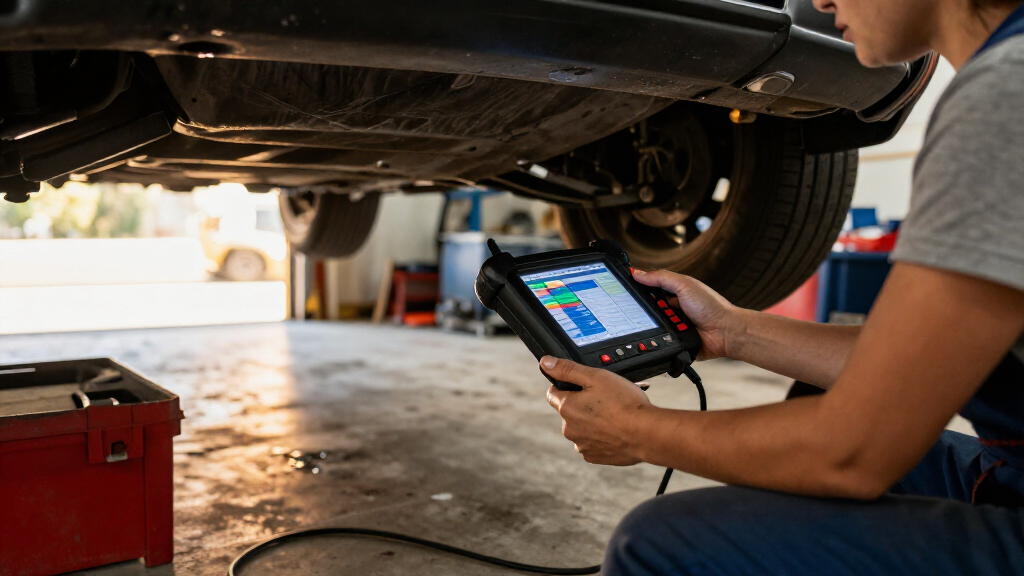
The MK900BT earns the top position because it combines all-system diagnostics with bidirectional controls and a broad set of service functions. It can read codes, clear codes, display live data, and perform more than 3,000 active tests where supported. That makes it a stronger fit than the MK808S for buyers who want the added flexibility of wireless communication and more than 40 listed service functions, including diagnostic and maintenance workflows in one tablet.Its CAN FD and DoIP support, automatic vehicle identification, and Wi-Fi printing of pre- and post-scan reports make it the most feature-rich choice in this lineup. Those details are useful for people who want to document a scan or work with supported newer vehicles. The 8-inch display also gives us more room to inspect live data than the AD310’s simpler reader layout.That extra reach comes with caveats. Vehicle and function compatibility varies, so the scanner’s long list of tests should not be read as a guarantee for every car. Battery testing requires a separately purchased BT506, and the included software updates last one year. Compared with the more straightforward MK808S, the MK900BT suits buyers prepared to check compatibility and learn a more capable tablet; it is excessive if our only goal is reading an engine emissions code.
Pros:
- All-system diagnostics, live data, and data recording and playback.
- More than 3,000 active tests and over 40 service functions on supported vehicles.
- Supports CAN FD and DoIP, with automatic vehicle identification.
- Bluetooth VCI connection and Wi-Fi printing for pre- and post-scan reports.
Cons:
- Vehicle and function compatibility varies, so specific operations need confirmation.
- Battery testing requires a separately purchased BT506.
- Software updates are included for one year.
Best for: DIY technicians and repair professionals who want all-system scanning, bidirectional tests, and a broad service-function set in a wireless tablet.
Not ideal for: Buyers who only need basic engine emissions codes, or who need battery testing without purchasing the separate BT506.
Bottom line: For broad automotive diagnostics and supported active tests, the MK900BT is the most capable and flexible pick in this group, provided its features match our vehicle.
“For broad automotive diagnostics and supported active tests, the MK900BT is the most capable and flexible pick in this group, provided its features match our vehicle.”
Autel MaxiCOM MK808S Automotive Diagnostic Scanner
The MK808S is our wired alternative for buyers who want tablet-based, full-system diagnostics without making wireless communication a priority. It reads systems across the vehicle, shows live and freeze-frame data, and supports more than 3,000 active tests on compatible vehicles. Against the AD310, that is a major jump in diagnostic reach: the MK808S is designed for more than engine emissions faults. Compared with the MK900BT, it keeps a similar core diagnostic focus but lists fewer service functions and uses a direct cable connection.A 7-inch display, 4 GB of memory, and 21 menu languages make this a more complete interface than a basic handheld code reader. The wired connection can suit a stationary diagnostic session, where a direct link matters more than moving freely around the vehicle. It also supports gateway access for FCA, Renault, and VAG vehicles on supported models, which can be relevant when those systems otherwise limit access.The key qualification is still compatibility: active tests, gateway access, and other functions vary by vehicle. Its more than 28 service functions are fewer than the MK900BT’s 40-plus, and it does not list the MK900BT’s CAN FD and DoIP support. We would choose the MK808S when a capable wired scanner meets our needs; those seeking the widest listed protocol and service coverage should compare it carefully with the MK900BT before deciding.
Pros:
- Full-system scanning with live data and freeze-frame data.
- More than 3,000 active tests and over 28 service functions on supported vehicles.
- Wired connection, 7-inch display, and 21 menu languages.
- Gateway access for FCA, Renault, and VAG on supported models.
Cons:
- Diagnostic functions and compatibility vary by vehicle.
- Gateway access applies only to supported models.
- Its wired connection offers less freedom of movement than the MK900BT’s Bluetooth VCI.
Best for: DIY mechanics who want full-system diagnostics and active tests in a wired tablet, especially if they value a direct connection and multiple menu languages.
Not ideal for: Buyers who need a wireless VCI, the broader listed service-function set of the MK900BT, or only a simple engine-code reader.
Bottom line: The MK808S makes a strong case when we want substantial diagnostic coverage through a wired tablet and do not need the MK900BT’s broader listed service and protocol support.
“The MK808S makes a strong case when we want substantial diagnostic coverage through a wired tablet and do not need the MK900BT’s broader listed service and protocol support.”
ANCEL AD310 OBD II Diagnostic Code Reader
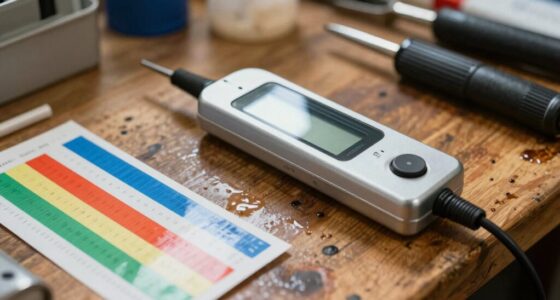
The ANCEL AD310 serves a narrower job than either Autel tablet: checking emission-related engine trouble codes on compatible OBD II vehicles. It can read and clear codes, show live data and freeze-frame information, and display I/M readiness and vehicle details. For a buyer who wants to investigate an engine warning light or check emissions readiness, these core readouts can be more useful than paying attention to features they will not use.Its vehicle-powered, compact design keeps setup simple: connect it to the OBD II port and use the labeled buttons and clear screen to navigate. The 2.5-foot cable gives some reach while reading information. Compared with the MK808S and MK900BT, the AD310 is less involved and easier to keep for occasional checks, but it does not offer their all-system scanning, service functions, or bidirectional active tests.That limitation is decisive for buyers diagnosing anything beyond emissions-related engine faults. The AD310 does not scan ABS, SRS, or transmission systems, and it will not work with OBD I vehicles even when paired with an adapter. It also depends on the vehicle having a compatible OBD II interface. Choose it for basic engine-code tasks; move up to an Autel tablet if we need a broader view of the vehicle or controlled tests of its components.
Pros:
- Reads and clears emission-related engine trouble codes.
- Displays live data, freeze-frame information, and I/M readiness.
- Supports common OBD II protocols.
- Compact, vehicle-powered design with a clear screen and labeled buttons.
Cons:
- Does not diagnose non-emission systems such as ABS, SRS, or transmission.
- Does not work with OBD I vehicles, even with an adapter.
- Requires a compatible OBD II interface; coverage depends on the vehicle.
Best for: Drivers who want a straightforward reader for emission-related engine codes, live data, freeze-frame checks, and I/M readiness on compatible OBD II vehicles.
Not ideal for: Anyone diagnosing ABS, SRS, transmission, or other non-emissions systems, or working with OBD I vehicles.
Bottom line: The AD310 is the simplest pick for basic emissions-related engine checks, but it cannot stand in for an all-system diagnostic scanner.
“The AD310 is the simplest pick for basic emissions-related engine checks, but it cannot stand in for an all-system diagnostic scanner.”
As an Amazon Associate we earn from qualifying purchases.
Key Differences
The biggest difference is diagnostic reach. A basic reader usually communicates with the powertrain control system through standardized OBD-II functions. That can identify many emissions-related faults and help an owner decide whether a problem calls for attention. It does not follow that the reader can diagnose every cause behind a code: a code points to a detected condition or circuit, and further checks may still be needed.
A professional bidirectional tool may reach more vehicle modules and display more detailed data. Its active tests can ask a supported component to respond, which can help narrow down a fault. Some tools also offer service procedures, but functions differ substantially across products and vehicles. Paying more makes sense for a mechanic, serious DIY diagnostician, or multi-vehicle household that will use these capabilities. For a single owner checking an occasional engine warning, the basic reader is usually the better value.
Detailed Comparison
Typical vehicle-system coverage (Professional bidirectional scan tool wins — major)
Winner: B; the gap is major for faults outside the engine system. A basic OBD-II reader generally concentrates on standardized powertrain and emissions diagnostics. A professional tool may access ABS, airbag, transmission, body, and other modules, depending on its coverage. In practice, that can reveal a fault code that a basic reader cannot see. It does not mean every professional tool covers every module on every vehicle: buyers should check the specific make, model, year, and function list.
Code reading and clearing (Professional bidirectional scan tool wins — moderate)
Winner: B; the gap ranges from moderate to major. Both categories can retrieve and clear many generic powertrain codes, but a basic reader is usually built around that core task. A professional tool may add manufacturer-specific codes and module-level reports. That extra detail helps when a warning comes from a system beyond the engine computer. Clearing a code is not a repair, and a fault may return if its cause remains.
Live data and testing (Professional bidirectional scan tool wins — major)
Winner: B; the gap is major for hands-on diagnosis. A basic reader may display selected sensor values, enough to add context to a trouble code. Professional bidirectional tools commonly provide broader data views and may run active tests on supported systems. For example, a technician could command a supported component and observe its response. This can shorten fault isolation, but it requires sound diagnostic judgment; the tool does not identify the root cause automatically.
Ease of use (Basic OBD-II code reader wins — moderate)
Winner: A; the gap is moderate for first-time users. Basic readers tend to offer a short workflow: connect, retrieve a code, and look up its meaning. Professional tools expose more systems, menus, and settings, so they can take longer to learn and may require updates or account setup. That complexity pays off when a user needs advanced functions. For a quick check before deciding whether to book a repair, the simpler interface is often more practical.
Vehicle compatibility (minor difference)
Winner: Depends; the gap is minor until a specific vehicle or function is involved. Many basic readers support generic OBD-II functions on a broad range of compliant vehicles, making their core use relatively predictable. Professional tools can offer much wider make-specific access, but the exact supported modules and procedures vary. Before buying either, confirm that the tool supports the vehicle’s year and market. For professional use, check coverage for the specific functions needed, not just a general compatibility claim.
Cost and ongoing value (major difference)
Winner: Depends; A wins for occasional checks, B for frequent advanced work. A basic reader costs less to buy and typically covers the needs of an owner who wants to interpret common engine codes. Professional tools require a larger initial outlay, and some features may depend on paid software or subscriptions. The premium is justified when added coverage and tests save time across repeated repairs or many vehicles. If those functions would sit unused, they add little practical value.
Basic OBD-II code reader: Pros and Cons
Pros:
- Low purchase cost for common check-engine-light checks.
- Simple operation suits occasional use and beginners.
- Generic OBD-II functions can work across many compliant vehicles.
- Useful for retrieving a code before researching or arranging a repair.
Cons:
- Usually limited to powertrain and emissions-related diagnostics.
- May not reveal ABS, airbag, transmission, or body-system faults.
- Often offers limited live data and no broad active testing.
- A code description alone does not confirm the failed part or repair.
Professional bidirectional scan tool: Pros and Cons
Pros:
- Can provide access to more modules and manufacturer-specific information.
- Richer live data and active tests can help isolate faults.
- May include service procedures for supported vehicles.
- More capable for workshops, advanced DIY work, and multiple vehicles.
Cons:
- Higher purchase cost, with possible subscriptions or update fees.
- More complex menus and functions take time to learn.
- Coverage differs by tool, vehicle, and software package.
- Advanced features do not replace diagnostic skill or confirm a repair by themselves.
Who Should Choose What
Choose Basic OBD-II code reader if:
- You want to check an occasional check-engine light on your own car.
- Your main need is retrieving generic engine codes before deciding what to do next.
- You want an inexpensive tool with a short learning curve.
Choose Professional bidirectional scan tool if:
- You diagnose vehicles regularly or work on several makes.
- You need access to systems such as ABS, airbags, or transmission modules.
- You can use live data, active tests, or supported service functions often enough to justify the cost.
Skip both if: You need a confirmed diagnosis or repair but lack the tools or experience to interpret the results; use the scan information as a starting point and consult a qualified technician.
Value for Money
For most vehicle owners who only want to read common engine codes, a basic OBD-II reader is the better value. It handles the central task at a much lower cost, and a professional tool’s extra menus will not help if they are rarely used. The reader can still support a more informed conversation with a repair shop, though it cannot establish that a particular part has failed.
Pay more for a professional bidirectional tool when its broader coverage and active tests will be used repeatedly. A technician may recover the higher purchase cost through faster diagnosis across multiple jobs. An experienced DIY owner who maintains several vehicles may also benefit. Check subscription terms and vehicle-specific coverage before buying; a high price alone does not guarantee the functions needed for a particular car.
Final Verdict
For a typical car owner, choose a basic OBD-II code reader. It is affordable, straightforward, and suited to checking many common engine warning codes. Choose a professional bidirectional scan tool if you regularly diagnose faults beyond the powertrain, need richer data, or will use active tests on supported vehicles. The deciding factor is how often you need access beyond generic engine codes: if that need is occasional or absent, the premium is hard to justify; if it is part of regular repair work, the professional tool is the more capable investment.
Frequently Asked Questions
Can a basic OBD-II reader diagnose an ABS or airbag warning?
Usually not. Many basic readers focus on generic powertrain and emissions codes. Some products offer additional coverage, so confirm support for the specific vehicle and module before buying.
Does a professional scan tool tell me exactly which part to replace?
No. It can provide more codes, data, and tests, but those results need interpretation. A trouble code points to a detected condition; it does not automatically prove which component caused it.
Is bidirectional control worth paying extra for?
It can be, if you frequently run supported active tests or service procedures. For someone who only reads occasional engine codes, the added cost and complexity are unlikely to pay off.
Will one professional scan tool work with every car?
No. Coverage varies by make, model year, market, software version, and sometimes subscription. Check the manufacturer’s vehicle coverage and named functions before purchase.