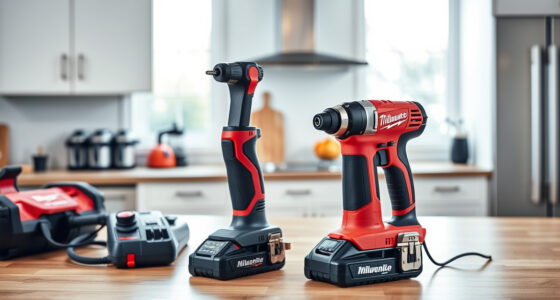
If your Milwaukee M18 charger is blinking red, it indicates an issue that needs attention. While this can be frustrating, many problems are easy to troubleshoot and fix at home. Understanding the common causes and following a systematic approach can save you time and money, keeping your power tools ready for use.

Get business pricing on garage and car supplies
- Business-only prices and quantity discounts
- Tax-exempt purchasing
- Multiple users, one account, clear invoices
In this guide, we’ll walk you through practical steps to diagnose and resolve the blinking red light, ensuring your Milwaukee charger operates safely and efficiently again.
Key Takeaways
| Identify blinking patterns | Different blinking patterns indicate specific issues, from overheating to a faulty battery. |
| Check the battery and contacts | Ensuring the battery is properly inserted and contacts are clean can resolve many charging problems. |
| Allow cooling time | Overheated batteries or chargers need time to cool before attempting to charge again. |
| Inspect for damage | Physical damage or debris can interfere with charging, requiring cleaning or replacement. |
| Test with different batteries | Using a known good battery can help determine if the issue lies with the battery or charger. |
Understanding the Red Blinking Pattern
The first step in troubleshooting is recognizing what the blinking red light signifies. Milwaukee chargers typically use specific blinking patterns to indicate different issues. For example, a slow blinking might mean the charger is in standby mode, while rapid blinking often signals an overheating condition or a faulty battery.
Consult your user manual or Milwaukee’s official troubleshooting guide to decode these signals. Recognizing the pattern helps you target the right solution quickly, avoiding unnecessary steps.
Check and Clean Battery Contacts
Often, a blinking red light results from poor contact between the battery and the charger. Remove the battery from the charger and inspect the metal contacts on both the battery and charger. If you notice dirt, dust, or corrosion, clean these contacts gently with a dry cloth or a soft brush.
Ensure the battery is seated properly when reattaching. A loose connection can cause charging issues and trigger the red blinking indicator.
Allow the Battery or Charger to Cool Down
Overheating is a common reason for a red blinking light. If your battery or charger feels hot, disconnect the battery and allow both to cool in a well-ventilated area for at least 15-30 minutes. Attempting to charge when components are hot can damage the system and prolong the problem.
Once cooled, reinsert the battery and check if the blinking persists. If overheating is recurrent, consider using batteries with higher amp-hour ratings or upgrading to batteries designed for heavy-duty use.
Test with a Different Battery
If the charger continues to blink red despite cleaning and cooling, try charging a different, known-good battery. If the second battery charges without issue, your original battery may be faulty or depleted beyond recovery.
In such cases, replacing the battery is recommended. If the problem persists with different batteries, the issue may lie within the charger itself.
Inspect for Physical Damage and Verify Power Supply
Check the charger and power cord for visible damage, such as frayed wires or cracks. Damage to these components can prevent proper charging and trigger the red blinking light.
Also, ensure your power outlet provides stable voltage. Try plugging the charger into a different outlet or power strip to rule out electrical issues.
If damage is evident or the outlet is unreliable, replacing the charger or fixing the power source is necessary for safe operation.
When to Seek Professional Help or Replace
If you’ve tried all the above steps and your Milwaukee charger still blinks red, it might be time to consider professional repair or replacement. Internal circuit failures, damaged components, or a defective charger require specialized knowledge to fix.
Using a damaged charger can pose safety risks, including electrical shock or fire. Always prioritize safety and consult Milwaukee customer service or a qualified technician for further assistance.
The Products in This Guide

Milwaukee M18 18V Cordless Power Tool Combo Kit
- ✔ Voltage: 18V
- ✔ Battery Type: Lithium-ion
- ✔ Number of Tools: 8

Milwaukee Shockwave 100pcs Impact Driver Bit Set Packout
- ✔ Material: Steel
- ✔ Impact Rated: Yes
- ✔ Piece Count: 100
Milwaukee M18 18V Cordless Power Tool Combo Kit
<p>The Milwaukee M18 18V Cordless Power Tool Combo Kit offers a versatile and powerful solution for professionals and DIYers. Its charger, included in the kit, is designed for durability and efficiency, but like all electronic devices, it can encounter issues such as blinking red lights.</p><p>Following proper troubleshooting steps can prolong its lifespan and ensure safe operation.</p>
Pros:
- Includes 8 essential tools and 3 batteries
- Fast charger for minimal downtime
- Designed for heavy-duty applications
- Compatible with Milwaukee’s M18 system
Cons:
- Charger may blink red if overheated or faulty
- Requires careful handling to avoid damage
- Potential for false alarms if not maintained properly
Best for: Professional contractors and serious DIY enthusiasts
Not ideal for: Casual users who rarely charge batteries
Bottom line: Proper maintenance and troubleshooting can keep your Milwaukee charger functioning reliably.
Milwaukee Shockwave 100pcs Impact Driver Bit Set Packout
<p>Complement your Milwaukee tools with this Milwaukee Shockwave 100pcs Impact Driver Bit Set. It offers durability and a wide variety of bits for different tasks, making it a great addition for any serious user.</p><p>Having reliable bits can help prevent issues like stripping or slipping, which can sometimes cause charging or tool problems if mishandled.</p>
Pros:
- 100 impact driver bits in one set
- Packout case for organization
- Durable and impact-rated
- Suitable for heavy-duty applications
Cons:
- Bulkier storage case
- Impact bits may wear over time
- Not suitable for light tasks
Best for: Professional electricians, carpenters, and DIYers
Not ideal for: Users needing only a few basic bits
Bottom line: A comprehensive bit set enhances your Milwaukee tool’s versatility and reliability.
Frequently Asked Questions
What does it mean when my Milwaukee charger blinks red quickly?
A rapid red blinking typically indicates an overheating condition or a problem with the battery. Allow the charger and battery to cool down and check connections.
Can I use a different battery if my charger blinks red?
Yes, testing with a different, known-good battery can help determine if the issue is with the battery or the charger itself.
Is it safe to continue charging if the charger blinks red?
No, if the charger indicates an issue via blinking red, it’s best to troubleshoot before continuing to prevent damage or safety hazards.
How often should I clean the contacts on my Milwaukee batteries?
It’s advisable to check and clean the contacts every few months or if you experience charging issues, to ensure optimal contact and performance.
When should I replace my Milwaukee charger?
If troubleshooting doesn’t resolve persistent blinking issues, or if the charger shows signs of physical damage, replacement is recommended for safety.
Keeping Your Milwaukee Charger in Top Shape
Regular maintenance, cautious handling, and understanding the blinking signals can extend the life of your Milwaukee charger and batteries. Always follow safety guidelines and consult professional support if problems persist. A well-maintained charging system ensures your tools are ready whenever you need them, boosting productivity and safety on the jobsite.
Affiliate disclosure: As an Amazon Associate we earn from qualifying purchases. Prices and availability are accurate as of the time of publishing.
Fall Picks
fall essentials
As an affiliate, we earn on qualifying purchases.